2
UMC 600IS Installation Manual
1.2 System Limitations and Restrictions
The following items represent limitations and restrictions on the use of the UMC 600IS:
•All instrumentation must have identification
nameplates in compliance with the control
drawing.
•All wiring, connections, conduit and grounds
must comply with the National Electrical
Code.
• The cable type and cable length must comply
with the specifications in the control drawing
•No modifications can be made in the field.
•Factory Mutual Approval required (see
Section 1.1 on page 1).
• It is mandatory to return the UMC 600IS to
Condec for service.
•Component level repair is not permitted on
Factory Mutual Approved equipment.
• Standard unit configuration is without local
sense jumpers installed. Therefore, use either
six-conductor loadcell cable or externally
jump +SEN to +EXC and –SEN to –EXC.
1.3 Front Panel Keypad and Annunciators
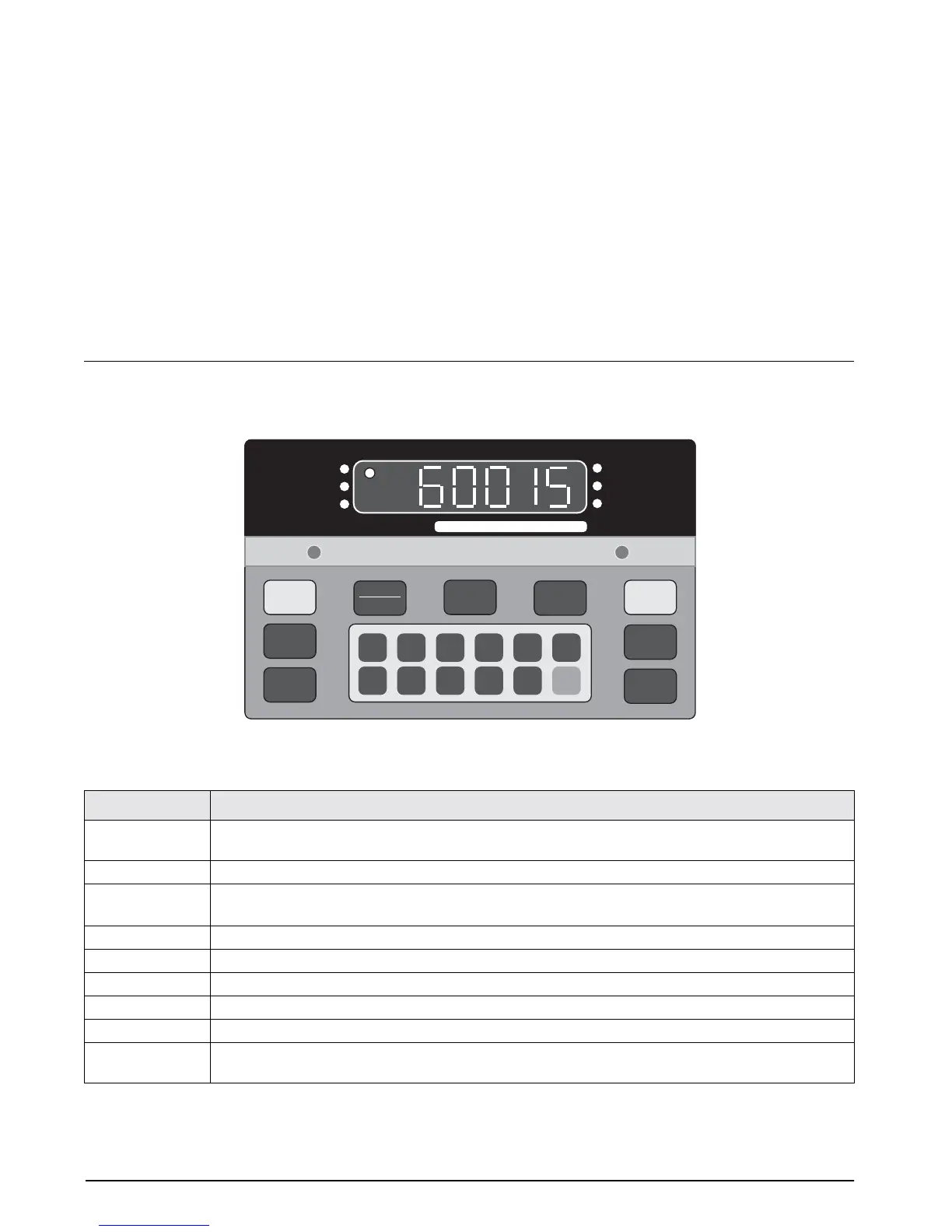
Figure 1-1 shows the UMC 600IS front panel. The UMC 600IS display consist of a six digit, seven-segment
display. Table 1-1 lists the front panel keys and their functions.
Figure 1-1. UMC 600IS Front Panel
1
6
2
7
3
8
4
9
5
0
CE
ENT
TARE
RECALL
ZERO
NET
GROSS
TARE
lb/kg
CONV
PRINT
1 SET
POINT
2 SET
POINT
CAPACITY
600 x 0.1
ZERO
NET
GROSS
lb
kg
MOTION
Panel Key
Function
ZERO Provides push-button auto zero (PAZ) over ±1.9% or 100% full scale capacity. Operates only in gross
weighing mode.
NET/GROSS Switches the unit between gross and net weighing modes.
TARE
Provides push-button tare entry over 100% of scale capacity. Pressing
TARE
key switches to net mode
and enters tare.
PRINT Provides a manual print function if unit is wired to serial printer or other data device.
lb/kg CONV Switches the displayed weight unit between pounds and kilograms.
TARE RECALL Press to recall tare value; LED annunciator flashes when tare value is displayed.
ON/OFF Provides power to the indicator.
SETPOINT 1 & 2 No function. Setpoints are not supported for this indicator.
0–9, CE, ENT Numeric keyboard for entry of manual tare and calibration data. Includes CE (Clear Entry) and ENT (Enter)
keys.
Table 1-1. Front Panel Key Functions


 To Next Page