1
2
3
16
Adding Contacts
Only contacts added to the Moochies watch
address book in your App will be able to call the
device, and your child will only be able to call
contacts you have set up.
This just gives the ability for phone calls, and is
great for someone who doesn’t have access to the
MyMoochies App.
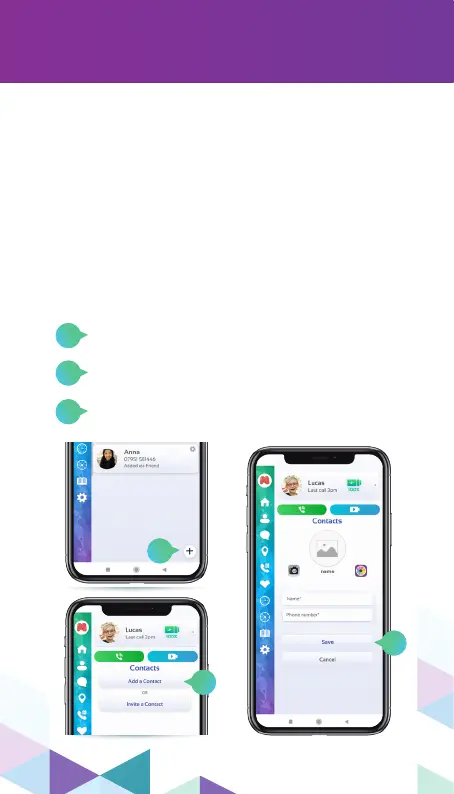
Go to the contacts section and click on the
”+” icon in the bottom right corner.
Click on “Add a Contact”.
Enter the contact’s name and phone number,
then click on “Save”.
You can add 2 types of contact within the
MyMoochies App:
By phone number
1
2
3


 To Next Page