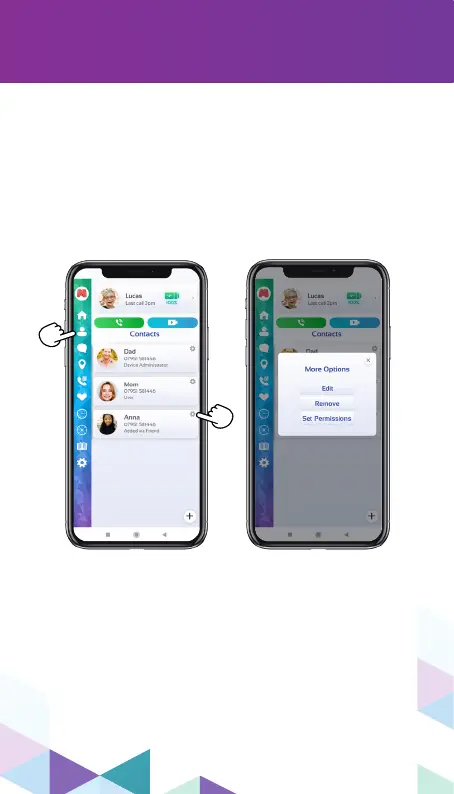
You can edit a contact’s preferences within the
contacts section.
To edit a contact information, remove or set
permissions of an existing contact, just tap the
“gear” icon on the upper right of each contact.
Also, you can remove or add administrative
functions of a contact through this menu.
18
editing contacts
Only the device administrator (the person who
originally bound the device) is able to change
settings/add contacts to the Moochies watch.


 To Next Page