1
2
3
4
5
17
Adding Contacts
With this method, you can give more permissions,
such as calling, video calling, 2-way messaging,
tracking, etc.
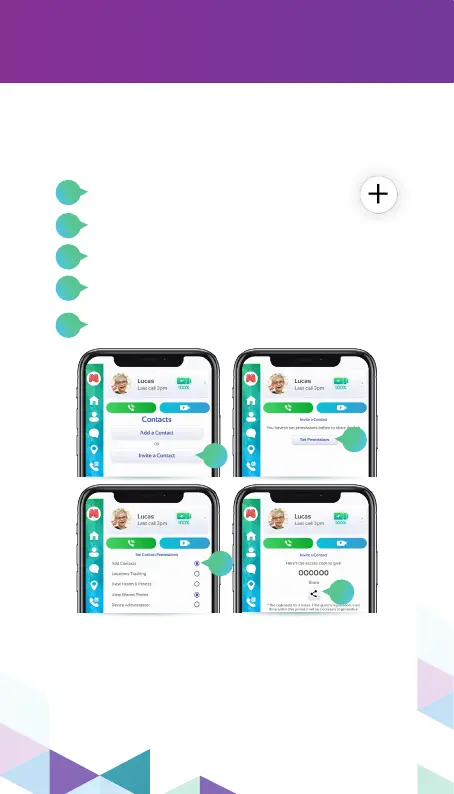
Go to the contacts section and click on
the ”+” icon in the bottom right corner.
Mark all the permissions you want to give to
this contact and then click on “Save”.
Lastly, click on the share icon to share the
code with the contact.
Click on “Invite a Contact”.
Click on “Set Permissions”.
The contact then will have to enter this code on
their MyMoochies app, so they will be able to
contact and be contacted by the Moochies.
Please be advised that you cannot share the same
code with multiple contacts, you will have to repeat
this process with all the contacts to whom you
want to give more permissions.
By sending an invite to another user
of the MyMoochies App
2
4
3
5



 To Next Page