2
1
4
3
32
Setting up your Moochies
When your Moochies Phone Watch is powered
on, you’ll have the home screen displayed.
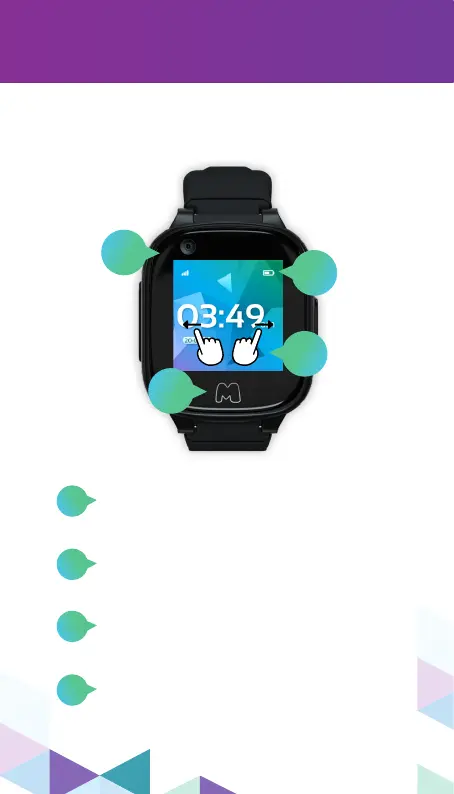
Battery level.
Swipe Left and Right to bring up each
menu item on your Moochies
Phone Watch.
Press the back button to go back.
Press repeatedly to return to the
Home Screen.
SIM card signal strength/Wi-Fi
connected.
2
3
4
1


 To Next Page