25
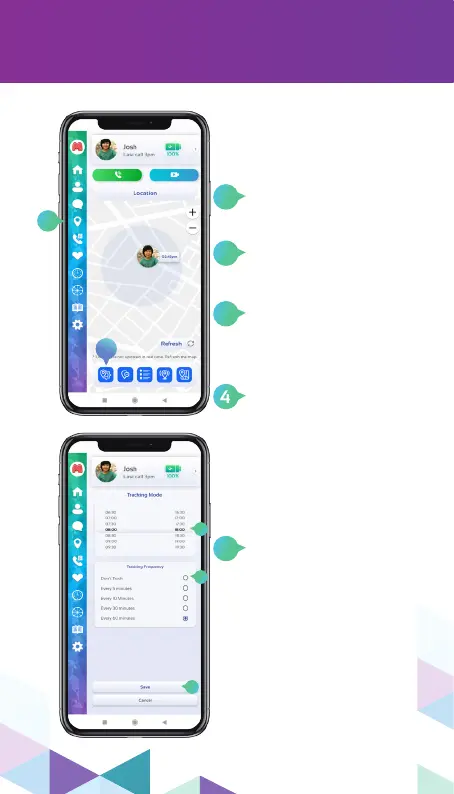
tracking frequency
4
Select the update
frequency time. The
greater the frequency,
the longer your Moochies
watch battery will last.
Select Don’t Track to stop
automatic watch location
updates (you can still
update the watch location
manually!)
to congure the Tracking
Frequency, click on the
Tracking menu icon.
Then click on the Tracking
Frequency icon in the
button menu.
You can congure the
tracking frequency of your
watch. This is important to
save battery and data.
3
1
2
5
Select a time for the watch
to start and stop tracking.
You can for example turn
it o when your child is
sleeping.
Click Save to conrm your
changes.
2
1
3
4
5


 To Next Page