1
2
20
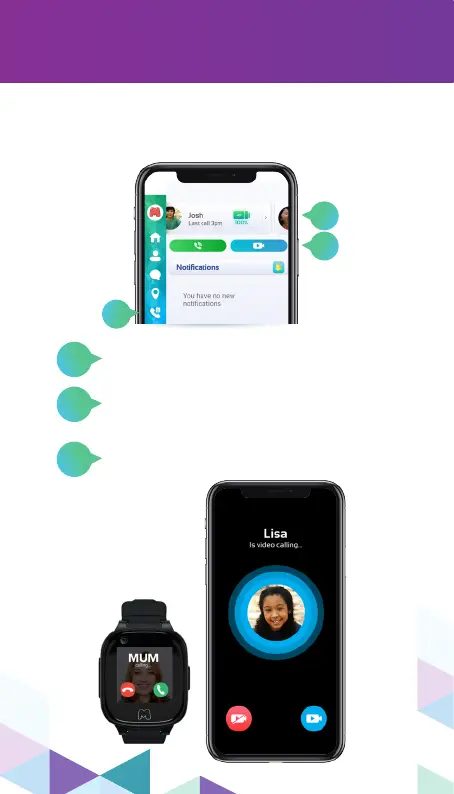
After nishing the settings of your Moochies
watch, it is now ready to make and receive
calls from the contacts added in the App.
And choose between the
“Voice Call” (green) or
“Video Call” (blue) buttons.
If you want to check the watch’s call
history, just access the “Call history”
menu.
making calls
Just select the prole of the watch you
want to make a call to.
1
2
3
3


 To Next Page