43
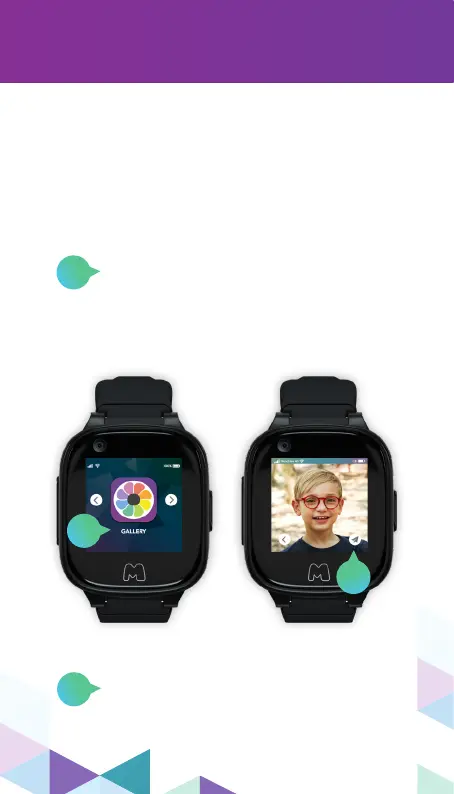
photo gallery
Click the Paper Plane icon to send the
image in a message, then select the
Contact as the message recipient.
Scroll left from the Moochies Home
Screen, and click on the “Gallery” menu
item to open the Moochies Photo
Gallery. Press on an image to view
a larger version.
All the photos you take on your Moochies
Phone Watch can be saved into the Moochies
App Photo Gallery, once you manually upload
them. From this menu option, you can scroll
through all your photos, send them to friends
and family and delete the ones that you don’t
like!
1
1
2
2


 To Next Page