
 Need help?
Do you have a question about the Constellation ARIA and is the answer not in the manual?
Covers placement, temperature, flames, moisture, ventilation, and interference.
Covers damage, earphones, supervision, and general electrical safety.
Covers unit service, maintenance, and battery care instructions.
Covers battery hazards, warnings, and proper disposal methods.
Lists items included: Main Unit, Carry Bag, Mains Adapter, Audio Cable, Instruction Manual.
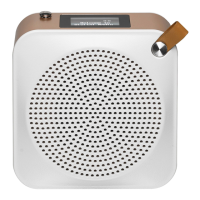
Identifies the speaker on the front of the unit.
Identifies the aerial and display on the top of the unit.
Details the controls and ports on the side panels of the unit.
Identifies RESET Button, AUX IN, Earphones, and DC IN 12V Sockets.
Unit operates on built-in battery. Connect mains adapter for charging. Charge fully before first use.
Connect an audio device using a 3.5mm Stereo Audio Cable to the AUX IN socket.
Connect earphones safely, adjust volume, and prevent hearing damage.
Extend aerial for optimal DAB/FM signal and scan.
Switch unit on/off, select modes (DAB, FM, BT, AUX), adjust volume.
Adjust Equaliser, Bass, and Treble levels for preferred sound.
Set time/date manually or auto-update. Choose 12/24 hour format.
Adjust backlight intensity and set inactive standby timer.
Set language, check software version, and perform system reset.
Perform full scan, manual tune, and browse station list for DAB radio.
Save/recall DAB stations and adjust Dynamic Range Compression.
Save, recall, and manage favourite DAB stations.
Adjust Dynamic Range Compression and view detailed DAB station info.
Scan for FM stations (auto/manual) and select audio output (stereo/mono).
Configure scan to include all stations or only strong signals.
Save, recall, and manage favourite FM stations.
View FM station details like radio text, program type, and time.
Pair with Bluetooth devices, control playback, and disconnect.
Understand operating range, potential obstructions, and device compatibility.
Enable NFC on mobile device for easy Bluetooth connection.
Connect external audio device via AUX IN and control playback.
Ensure unit is unplugged. Wipe with slightly moist, lint-free cloth.
Solutions for no power, no sound, or charging issues.
Solutions for static/distorted sound, station issues, or blank display.
Solutions for Bluetooth pairing or NFC connection problems.
Information on product models and power adapter specifications.
Specifies the DC 12V, 1A power input requirement for the main unit.
Information on power consumption in Off, Standby, and Network Standby modes.
Details on power amplifier, radio frequency, battery, Bluetooth, NFC, dimensions, and net weight.
Do not dispose with household waste. Hand over to designated collection point for recycling.
Information on Bluetooth trademarks and ownership of other marks.
DSG Retail Ltd. and DSG Retail Ireland Ltd. contact and address information.
Lists support websites for different regions (NO, SE, FI, DK).
 General
| Brand | Constellation |
|---|---|
| Model | ARIA |
| Category | Radio |
| Language | English |

 To Next Page