GB
32
Bluetooth® Operation
The unit has a Bluetooth function that can receive a signal within 10
metres.
Pairing the unit with a Bluetooth device to listen to music:
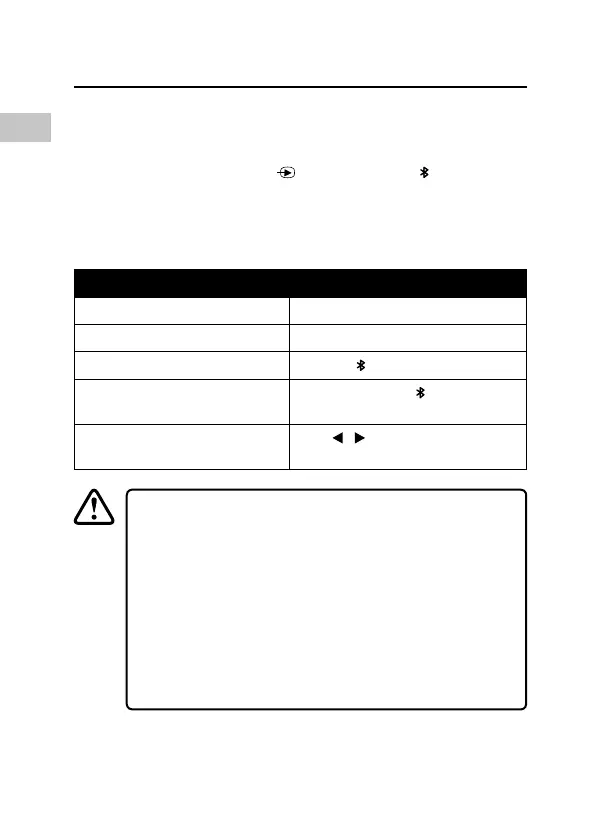
1. While in the ON mode, press
repeatedly or press button to
select Bluetooth mode. The display will show “Bluetooth ready”.
2. Activate your Bluetooth device and select the search mode.
3. “ARIA” will appear on your Bluetooth device list.
4. Select “ARIA” and enter “0000” for the password if necessary.
To Operation
Increase Volume Press/Press and hold the + Button.
Decrease Volume Press/Press and hold the – Button.
Pause/Play playback
Press the
Button.
Disconnect the paired
Bluetooth connection
Press and hold the
Button.
Skip forwards/backwards to the
previous/next track
Press
/ Button.
• The operating range of the Bluetooth® for this unit is 10
metres, without obstruction. Walls, structures and other
objects may aect the Bluetooth® range.
• For better signal reception, remove any obstacles
between the unit and the Bluetooth® device.
• This unit supports A2DP (Advanced Audio Distribution
Prole) and AVRCP (Audio Video remote Control Prole)
functions. This can only be paired with one Bluetooth®
device at one time.
• Compatibility with all devices and media types is not
guaranteed.


 To Next Page