16 17
KEY FUNCTIONS
Key Function
Power/Lock Key
Press and hold to power on, restart the phone, turn on/
off airplane mode, or power off.
Press to turn on/off the screen display.
Home Key
Press to return to the home screen from any application
or screen.
Press and hold to access Google Now™.
Recent apps Key
Press to view recently used apps.
Double-tap to switch to the most-recent app.
Press and hold to select apps for split-screen view.
Back Key Press to go to the previous screen.
Volume Key Press or hold to turn the volume up or down.
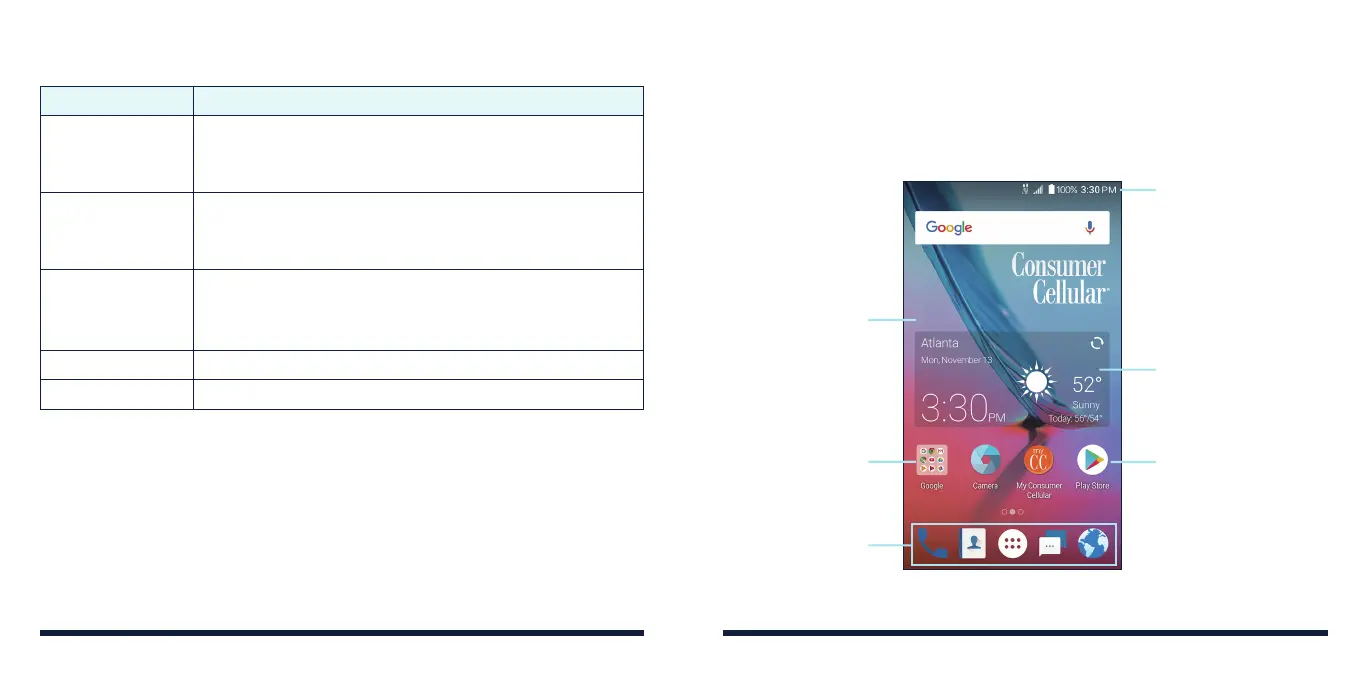
GETTING TO KNOW THE HOME SCREEN
The home screen is the starting point for your phone’s applications, functions,
and menus. You can customize your home screen by adding application icons,
shortcuts, folders, widgets, and more.
Wallpaper
Folder
Primary Shortcuts
Status & Notifications
Widget
Shortcut
GETTING STARTEDGETTING STARTED



 To Next Page