28 29
Pinning a Screen
1. Ensure that screen pinning is turned on.
2. Open the app you want to keep in view.
3. Press the Recent Apps Key.
4. If there are many app tabs, swipe up to find
on the front-most tab.
5. Tap
.
Unpinning the Screen
1. To unpin the screen and return to normal use, press and hold the Back
Key.
2. If you have enabled the lock device option, press and hold on the lock
screen and unlock the phone with the pattern, PIN, or password.
KNOWING THE BASICS
MONITORING THE PHONE STATUS
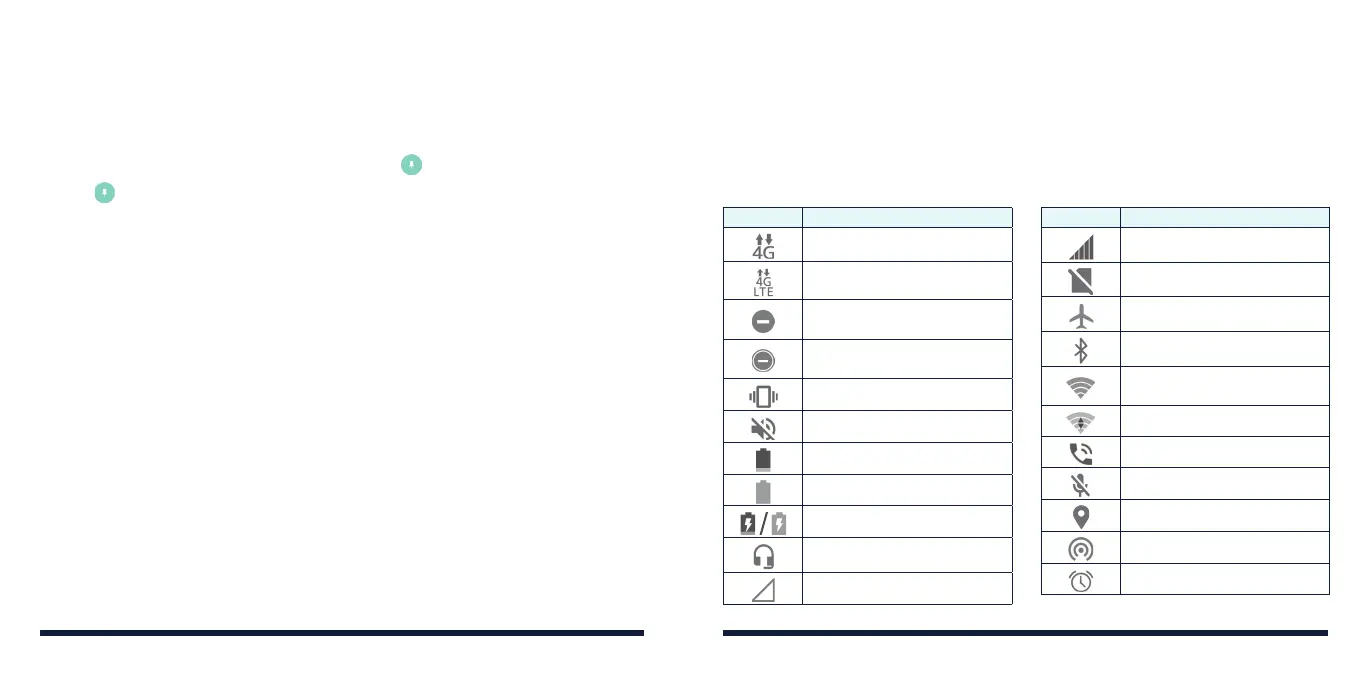
The Status Bar at the top of the home screen provides phone and service
status icons on the right side. Below are some of the icons you may see.
Indicators and icons
PERSONALIZING
Indicator What it means
3G connected
4G LTE connected
Do not disturb mode (Alarms
only or Priority only)
Do not disturb mode (Total
silence)
Vibration mode
Ringer o
Battery low
Battery full
Battery charging
Wired headset connected
No signal
Indicator What it means
Signal strength
No nano-SIM card installed
Airplane mode
Bluetooth
on
Connected to a Wi-Fi
network
Wi-Fi in use
Speaker on
Phone microphone o
GPS on
Mobile hotspot on
Alarm set



 To Next Page