2. Setup
COM-1PD(USB)H
13
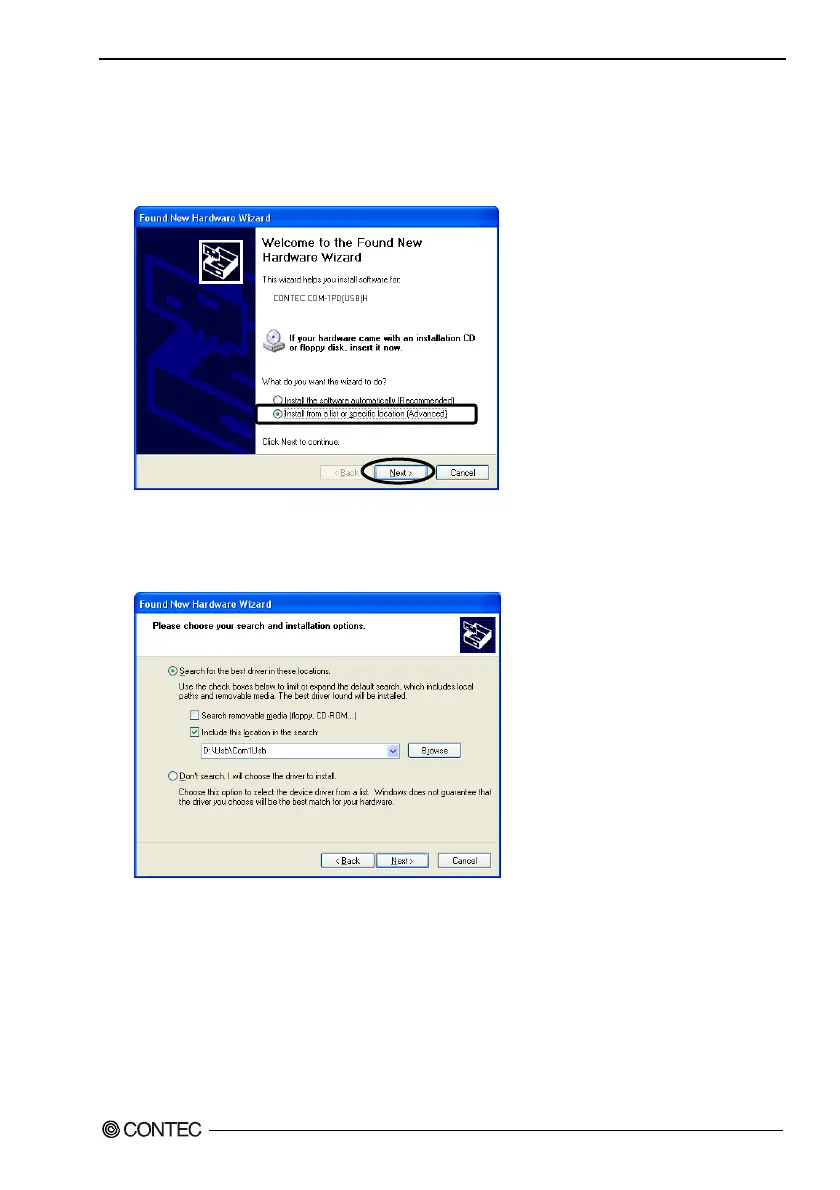
Setting with the Found New Hardware Wizard
(1) The “Found New Hardware Wizard” will be started.
(2) Select “Install from a list or specific location[Advanced]”, then click on the [Next] button.
(3) Specify that folder on the CD-ROM which contains the setup information (INF) file to register the
converter.
Source folder is “(CD-ROM drive letter)\USB\COM1USB”.
* Be sure to uncheck [Search removable media (floppy, CD-ROM)].


 To Next Page