2. Setup
COM-1PD(USB)H
17
Using the Diagnosis Program
Starting the Diagnosis Program
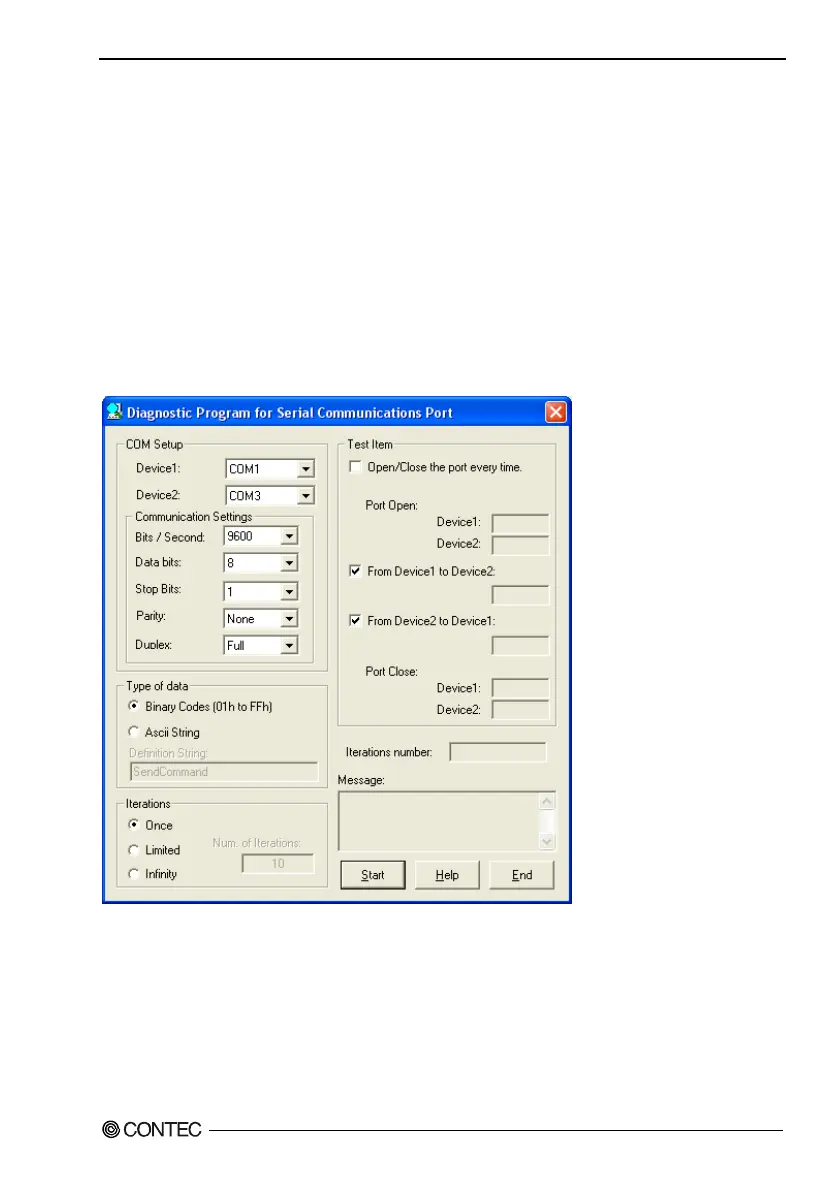
Run [\Utility\CommChk\CommChk.exe] from the supplied CD-ROM.
Communication Settings
COM Setup: Specify the number of the COM port you wish to test.
If connecting two COM ports via a cross cable, specify the respective COM ports in
[Device1] and [Device2].
When performing loopback communications on a single COM port, set the same port
number in both [Device 1] and [Device 2].
Communication Settings: Specify the [Bits / Second], [Data bits] and other settings you wish to use.


 To Next Page