2. Setup
12
COM-1PD(USB)H
Step 2 Installing the Hardware
Under Windows, you have to let the OS detect the remote device. The process is referred to as
installing the hardware.
When using multiple converters, install one at a time and complete setup for the previous
converter before starting to install the next converter.
Connecting the converter
(1)
Turn on the power to the PC before connecting the product.
(2)
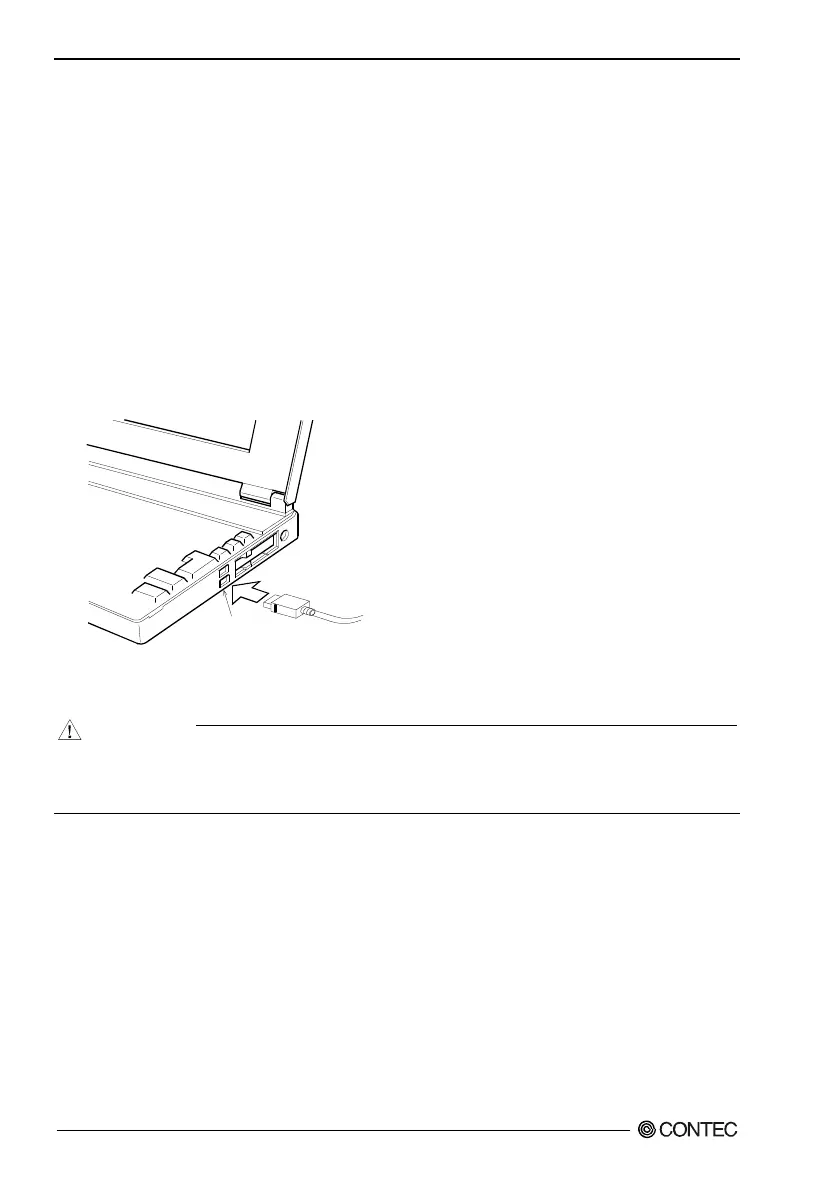
When the PC has been up and running, plug the USB interface connector to a USB port in the PC.
The converter can also be connected to the PC via a USB hub.
USB ports
Figure 2.7. Connecting the converter
CAUTION
It may cause a trouble in recognizing and operating the device according to the kind of USB hub.
If you use the USB hub, we encourage you to take advantage of the CONTEC’s product loan
service to confirm operation before purchasing.


 To Next Page