5. About Hardware
COM-1PD(USB)H
25
5.
About Hardware
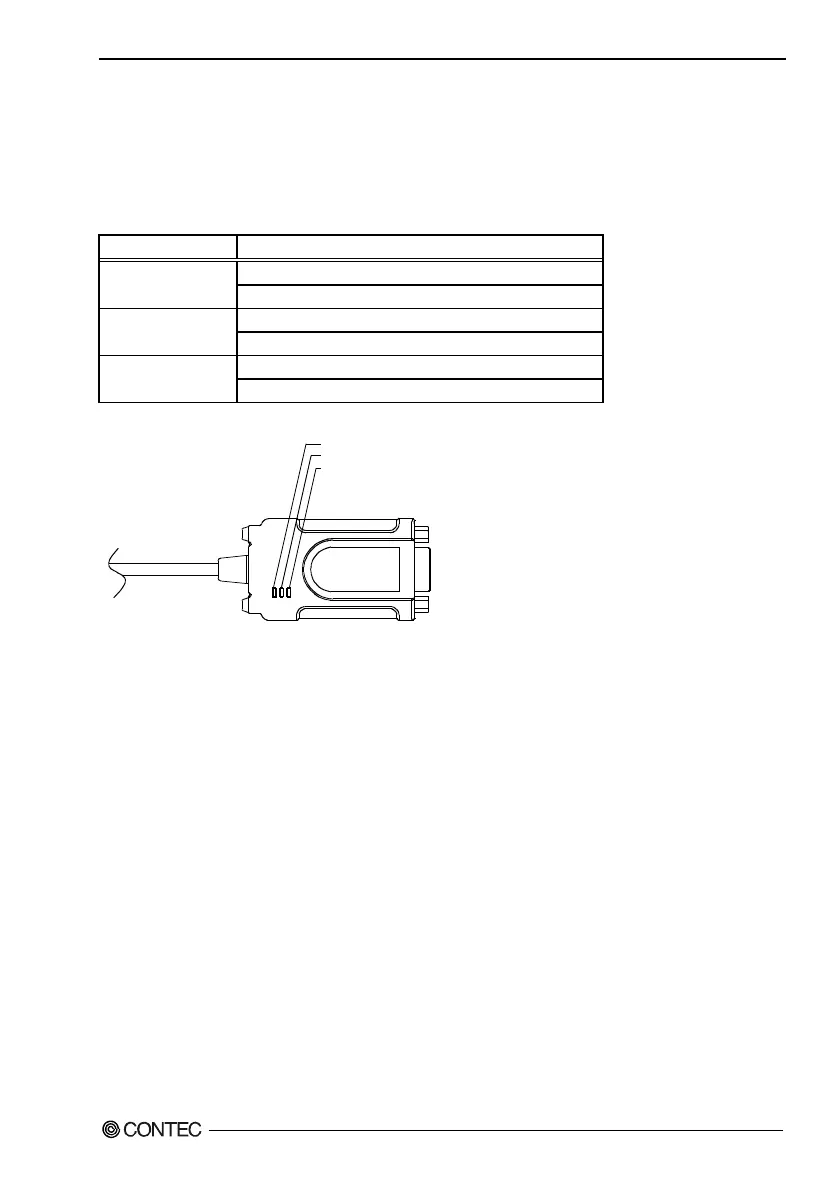
LED display
Table 5.1. Function list
LED name LED display content
ON … Power ON POWER (green)
OFF … Power OFF
Blinking … Receiving data * RxD (yellow)
OFF … Not receiving data or not connected
Blinking … Transmitting data * TxD (yellow)
OFF … Not transmitting data or not connected
TxD
RxD
POWER
Figure 5.1. LED display
*
If you forget the COM port number of this product, perform communication via specific COM ports and check the
LEDs on the product to identify its COM port number.


 To Next Page