2. Setup
COM-1PD(USB)H
19
Step 5 Uninstalling the Driver Libraries
To uninstall COM-1/1P/1PD(USB)H Drivers, follow the procedure below.
(1) Click on the [Start] button on the Windows taskbar. From the Start Menu, select “Settings” –
“Control Panel”.
(2) Double-click on “Add and Remove Programs” in the Control Panel.
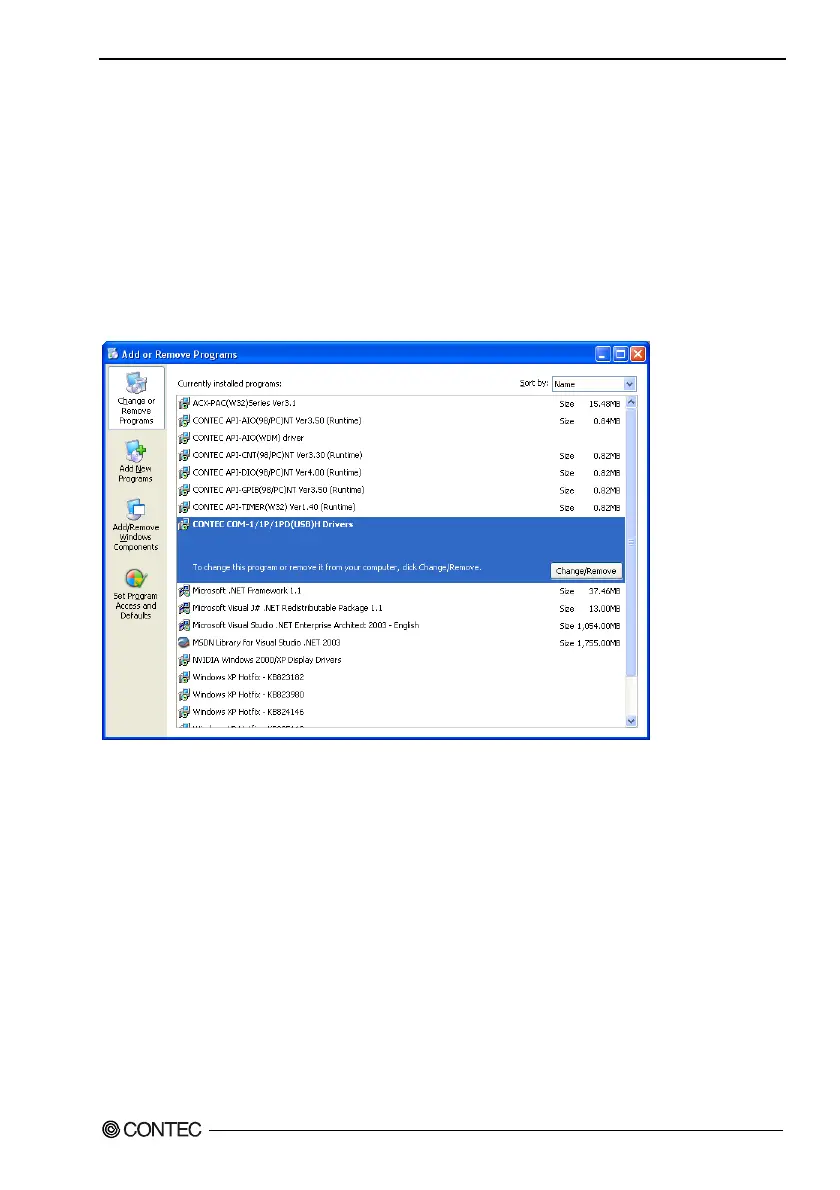
(3) Select “CONTEC COM-1/1P/1PD(USB)H Drivers VerX.XX” from the displayed application and
then click on the [Change/Remove] button. Follow the on-screen instructions to uninstall the
function libraries.
* X.XX shows the version of driver.
If your problem cannot be resolved
Contact your retailer.


 To Next Page