2. Setup
COM-1PD(USB)H
15
Step 3 Initializing the Software
The COM ports are already assigned by the hardware installation step.
Run Device Manager as described below if you wish to view or modify the COM port settings.
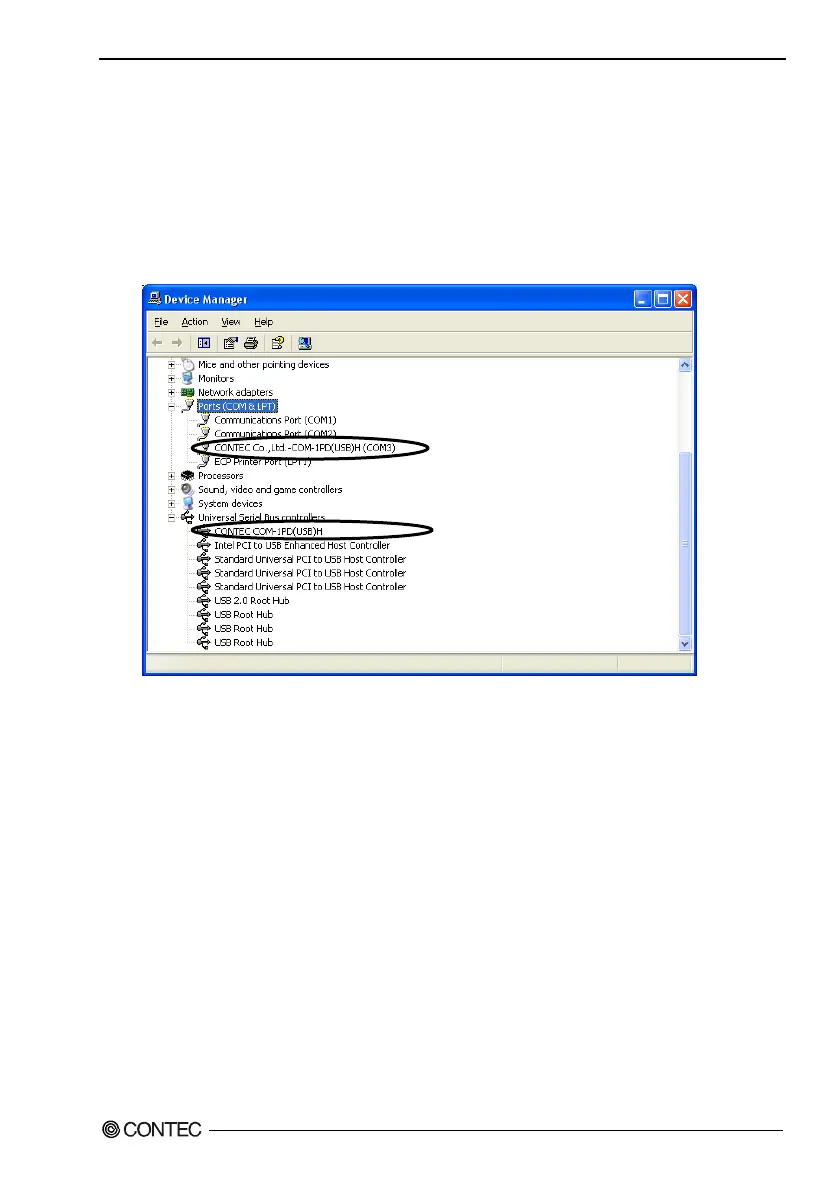
Start Device Manager
(1) Select "System" from "Control Panel" and start [Device Manager].
(2) Make sure that the detected USB device is listed in the "Universal Serial Bus controllers" folder.
(3) Check that the new COM ports are displayed in the [Ports] folder.
Updating the Settings
(1) If you wish to change a port number, open the properties page for the port and click the
[Advanced…] button under [Port Settings].
(2) Use the [COM Port Number] combo box to modify the COM port number.
You have now finished installing the initial setting of Software.


 To Next Page