Short press 3D roll button and push the direction joystick forward, backward, left or right. The drone will roll
in the air in the corresponding direction.
In order to perform the 3D roll function better, please ensure that the drone is fully charged and maintains a
height of about 1.5 meters with the ground. When the battery is low, the drone cannot perform the 3D roll
function or the height after rolling may be reduced. Please charge it in time.
10. 3D Roll
Front
Front
Back Back
Right
Right
Left Left
2
1
9. Headless Mode & One Key Return
Headless Mode
The drone defaults to Normal Mode when the drone and remote control are matched successfully. Click the
headless mode / one key return button to enter into Headless mode. Click again to exit Headless mode.
Normal Mode: The power switch of the drone indicates the backward direction.
Headless Mode: Before takeoff, the power switch of the drone indicates the backward direction. When the
drone rotates in flight, the flight direction is not changed.
One Key Return
During the flight, the drone can be recalled using the return function.
Long press the one key return button for 3 seconds to start the return. After starting the return flight, the
drone will return at the direction of the tail when it is powered on and paired.
During the process, move the direction joystick or long pess the return button for 3 seconds to cancel the
return.
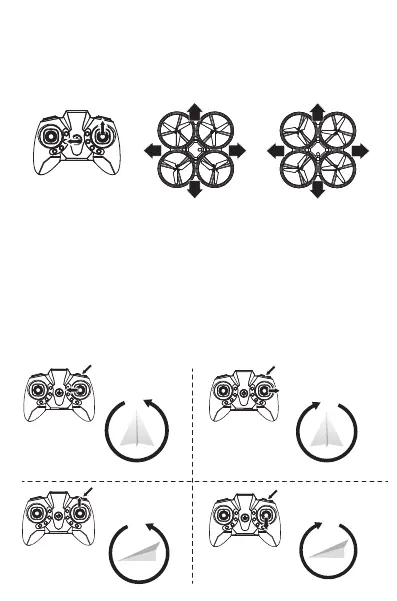
As shown in the above figure, when the drone rotates in flight, the flight direction is not changed in the
headless mode state.



 To Next Page