Need help?
Do you have a question about the Contour ShuttlePRO v2 and is the answer not in the manual?
Covers system requirements and the installation process.
Lists the necessary system specifications for installation.
Provides step-by-step instructions for software installation.
Explains the layout and function of the control panel.
Allows creating new settings by copying from existing ones.
Allows creating new settings by copying from existing ones.
Enables creating new settings from scratch for any application.
Addresses common issues and questions about the shuttle device.
Discusses troubleshooting specific to various applications like Final Cut Pro.
 General
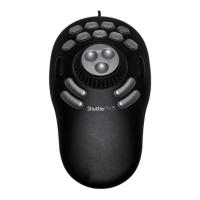
| Number of Buttons | 15 |
|---|---|
| Number of Jog Wheels | 1 |
| Connectivity | USB |
| Compatibility | Windows, Mac OS |
| Weight | 1.5 lbs |
| Connectivity Technology | Wired |
| Jog Wheel | Yes |
| Shuttle Wheel | Yes |
| OS Required | Windows 7 or later, macOS 10.10 or later |


 To Next Page