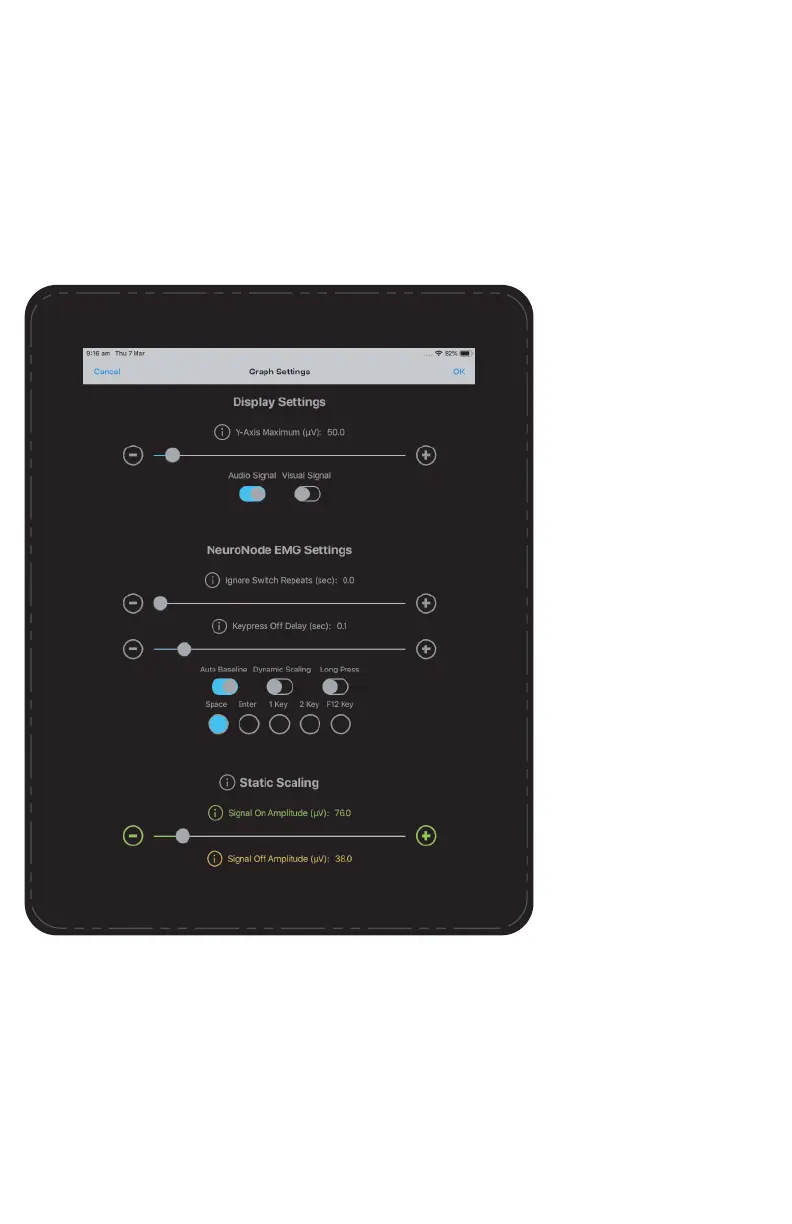
Key Press Off Delay:
This slider sets a fixed
delay the NeuroNode3 will
use to determine when to
send the key released
code. The delay starts
when the “pressed key”
code is sent (i.e., when the
signal first crosses the
Signal On Amplitude).
This setting is primarily
used for accessibility
applications that require a
minimum duration for a
switch press.
Auto Baseline Indicator:
Sets the NeuroNode3 to a
mode of operation where
it will start a new baseline
based on the user’s
current resting level. If the
resting level decreases,
the NeuroNode3 will use
the new resting level as
the baseline.
Long Press:
This switch determines the
timing of the “key
released” code that the
NeuroNode3 sends. With
Long Press on, the
NeuroNode3 will send the
key released code when
the EMG/Spatial signal
falls below the Signal On
Amplitude. Separately, the
Long Press setting may
need to be set in the
device’s accessibility
settings.
Key code Send Out:
This selected radio button
sets the key code sent
when a Switch is made.
This setting ensures
NeuroNode3 compatibility
with a wide range of
accessibility applications.
PAGE 21 | ACCESSORIES



 To Next Page