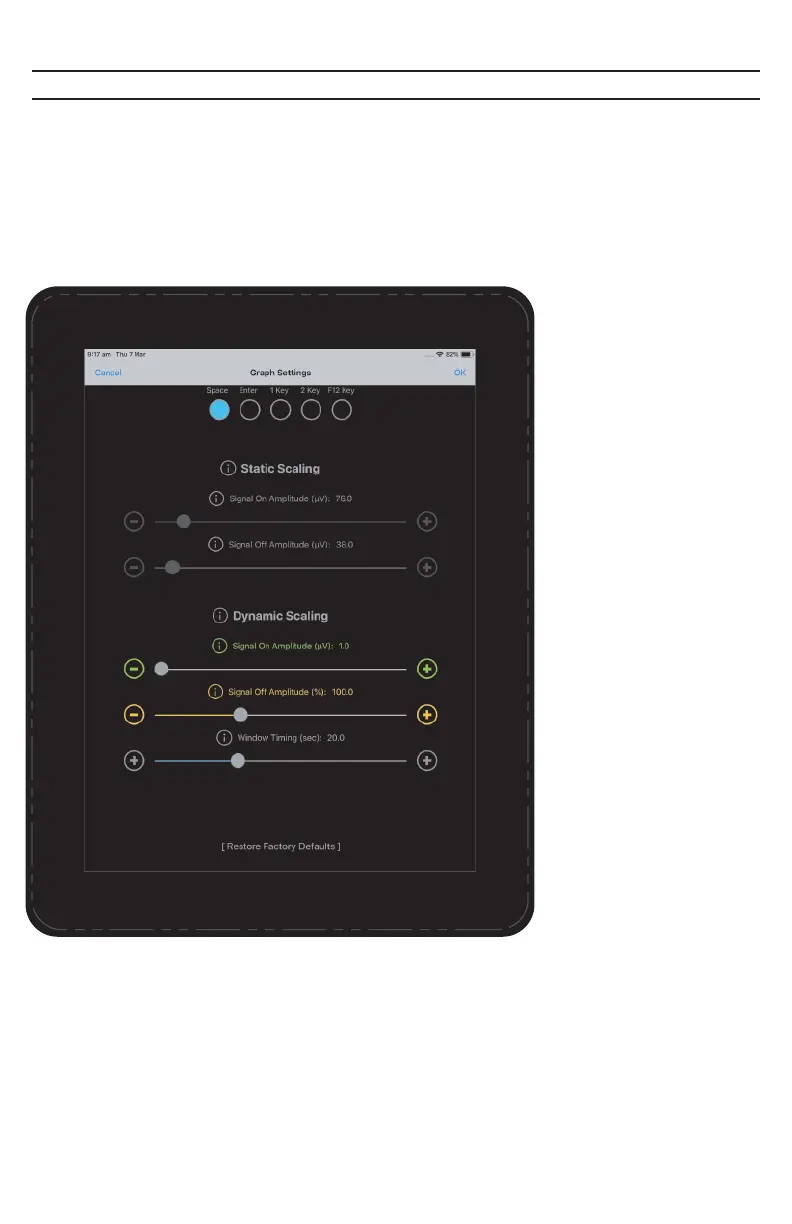
Graph Settings - Dynamic Scaling
Dynamic Scaling changes the criteria over time for determining if a Switch has
been made based on the user’s performance. The EMG/Spatial resting level and
the EMG/Spatial signaling level are both used in this ongoing calculation. As
such, the NeuroNode will make it easier to Switch as the user fatigues, or as the
electrode interface condition changes.
Signal On Amplitude:
Sets a scale for use when
in the NeuroNode3
Dynamic Scaling Mode.
The lower the level, the
more sensitive the
NeuroNode3 will be in
allowing a switch to be
made.
Signal Off Amplitude:
Sets the level a Switch
signal must drop below
before another Switch is
allowed. Setting this at
100% will set the Signal
Off Amplitude to the
user’s ongoing average
resting level.
Window Timing:
The Dynamic Scaling
Window slider sets the
amount of signaling
activity the NeuroNode3
will examine in order to
adjust the levels for Signal
On and Signal Off
Amplitude. A shorter
window duration will make
the NeuroNode3 respond
faster to changes in
EMG/Spatial signaling and
resting levels. A longer
duration will allow the
NeuroNode3 to respond
more accurately to
long-term trends in the
EMG/Spatial level.
PAGE 23 | ACCESSORIES



 To Next Page