May 2009 | Revision 6.0
2-20
CHAPTER 2.0 | KIT INSTALLATION
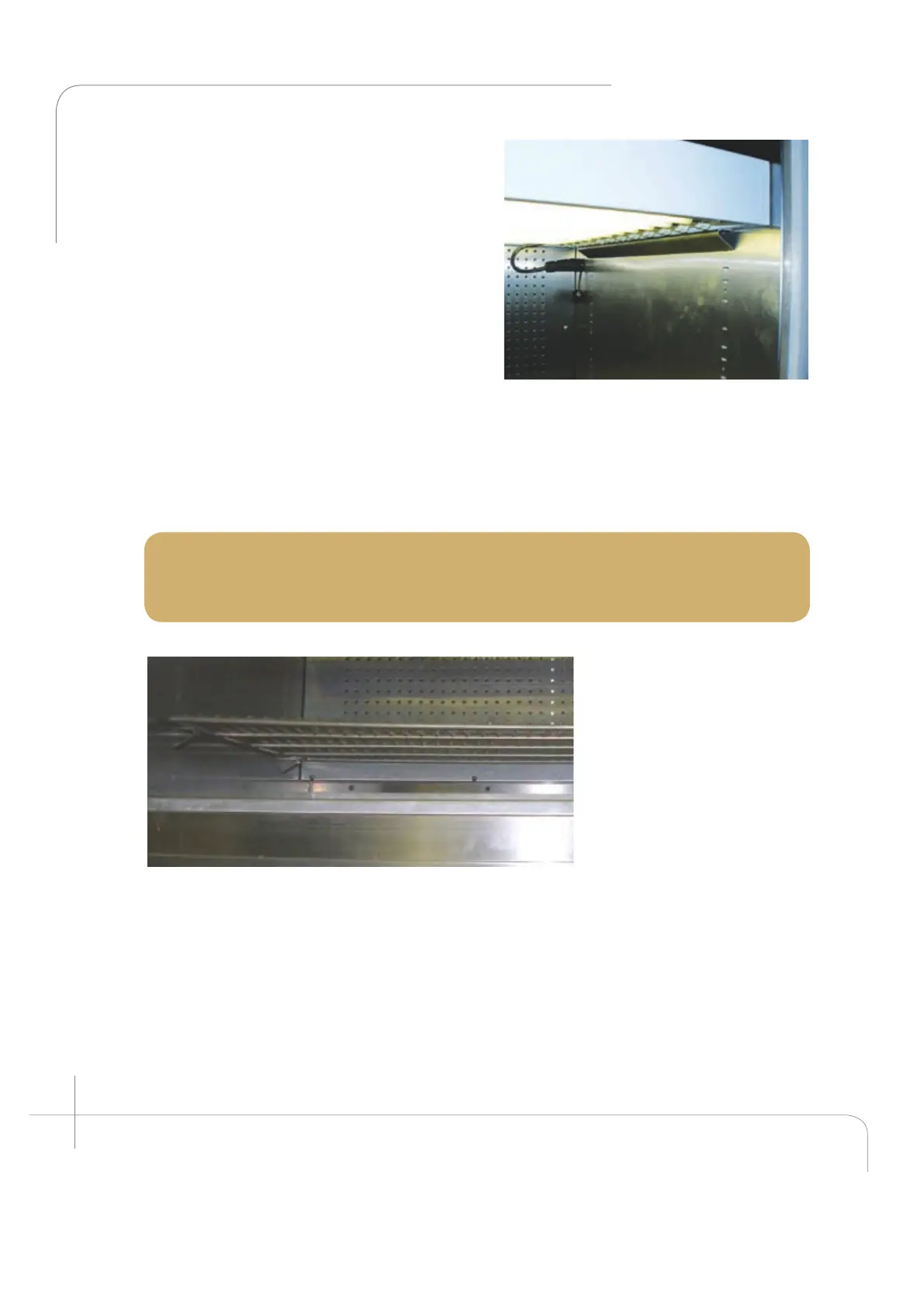
1. Install the wire shelves (Item D and E)
The wire shelves must be installed according
to the desired growth height. The lowest
possible position for the lower shelf is above
the bottom row of holes in the back wall
plenum. To install the clips, first insert the
top portion into the desired slot and then
press lightly on the bottom side snapping
it into the corresponding slot (about 1” / 25
mm below the top one).
Place the four (4) shelf supports (clips) into
the slots in the side wall (see figure 2.44).
Carefully place the wire shelf over the four
lower clips. Install the rest of the support
clips in each side wall at the desired height
(see figure 2.44).|
The chamber is now ready to operate. Please read the Chamber Start-Up Instructions
carefully before proceeding with the Start up.
Note: The maximum operating levels of light for this Kit must be set at the
Controller. To edit the factory default setting, follow the set up instructions in the
CMP 6010 Operator’s Manual Section 6: Options -- Setup.
Figure 2.43: AR canopy seated on top of the
support and locked into the center hole.
Figure 2.44: Bottom wire shelf. Notice the position with
respect to the back wall plenum.



 To Next Page