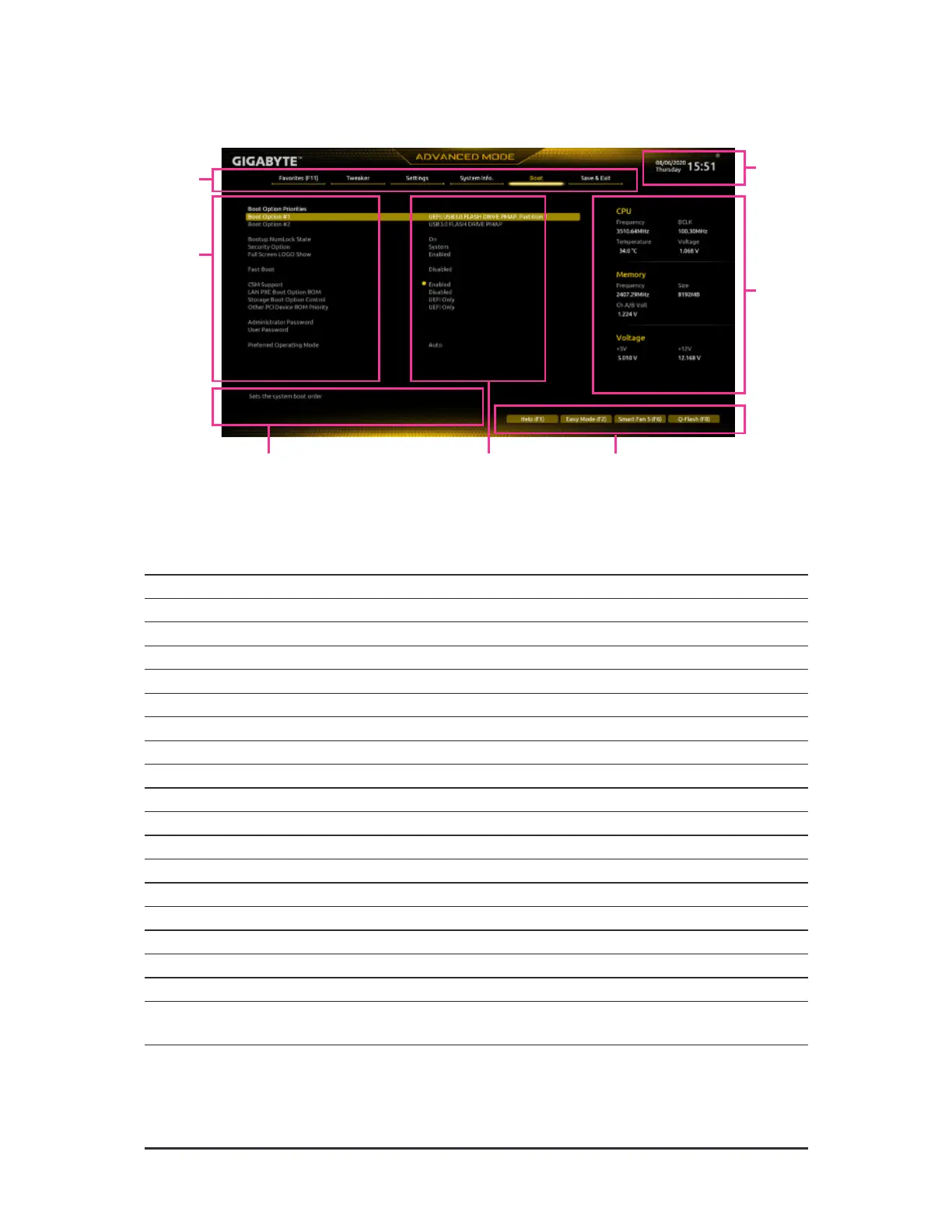
2-2 The Main Menu
Advanced Mode Function Keys
<
f
><
g
> Move the selection bar to select a setup menu
<
h
><
i
> Move the selection bar to select an conguration item on a menu
<Enter>/Double Click Execute command or enter a menu
<
+
>/<Page Up> Increase the numeric value or make changes
<
-
>/<Page Down> Decrease the numeric value or make changes
<F1> Show descriptions o the unction keys
<F2> Switch to Easy Mode
<F3> Save the current BIOS settings to a prole
<F4> Load the BIOS settings rom a prole created beore
<F5> Restore the previous BIOS settings or the current submenus
<F6> Display the Smart Fan 5 screen
<F7> Load the Optimized BIOS deault settings or the current submenus
<F8> Access the Q-Flash utility
<F10> Save all the changes and exit the BIOS Setup program
<F11> Switch to the Favorites submenu
<F12> Capture the current screen as an image and save it to your USB drive
<Insert> Add or remove a avorite option
<Ctrl>+<S> Display inormation on the installed memory
<Esc>
Main Menu: Exit the BIOS Setup program
Submenus: Exit current submenu
Hardware
Inormation
Option Description Current Settings
Setup Menus
Conguration
Items
System
Time
Quick Access Bar allows you to quickly move to
the General Help, Easy Mode, Smart Fan 5, or
Q-Flash screen.
- 21 -



 To Next Page