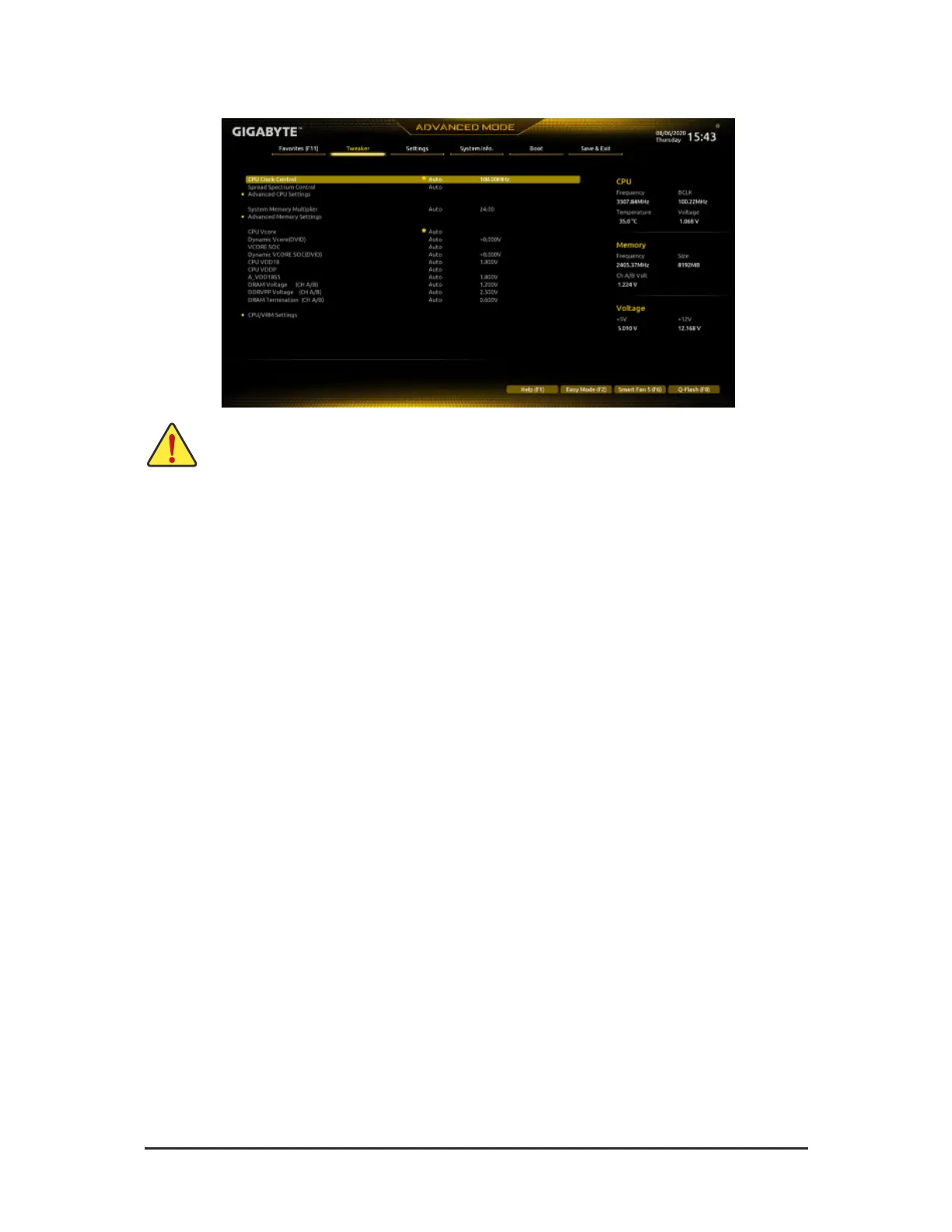
2-4 Tweaker
Whether the system will work stably with the overclock/overvoltage settings you made is dependent on your overall
system congurations. Incorrectly doing overclock/overvoltage may result in damage to CPU, chipset, or memory
and reduce the useul lie o these components. This page is or advanced users only and we recommend you not to
alter the deault settings to prevent system instability or other unexpected results. (Inadequately altering the settings
may result in system's ailure to boot. I this occurs, clear the CMOS values and reset the board to deault values.)
& CPU Clock Control
Allows you to manually set the CPU base clock in 1 MHz increments. (Deault: Auto)
Important: It is highly recommende d that the CP U frequency be set in accordance with the CPU
specications.
& Spread Spectrum Control
Enables or disables CPU/PCIe Spread Spectrum. (Deault: Auto)
Advanced CPU Settings
& Core Performance Boost
(Note)
Allows you to determine whe the r to enable the Core Perormance Boost (CPB) technology, a CPU
perormance-boost technology. (Deault: Auto)
& SVM Mode
Virtualization enhanced by Virtualization Technology will allow a platorm to run multiple operating systems
and applications in independent partitions. With virtualization, one computer system can unction as multiple
virtual systems. (Deault: Disabled)
& AMD Cool&Quiet function
Enabled Lets the AMD Cool'n'Quiet driver dynamically adjust the CPU clock and VID to
reduce heat output rom your computer and its power consumption. (Deault)
Disabled Disables this unction.
& PPC Adjustment
(Note)
Allows you to x the PState o the CPU. (Deault: PState 0)
& Global C-state Control
(Note)
Allows you to determine whether to let the CPU enter C states. When enabled, the CPU core requency
will be reduced during system halt state to decrease power consumption. (Deault: Auto)
(Note) This item is present only when you install a CPU that supports this eature.
- 23 -



 To Next Page