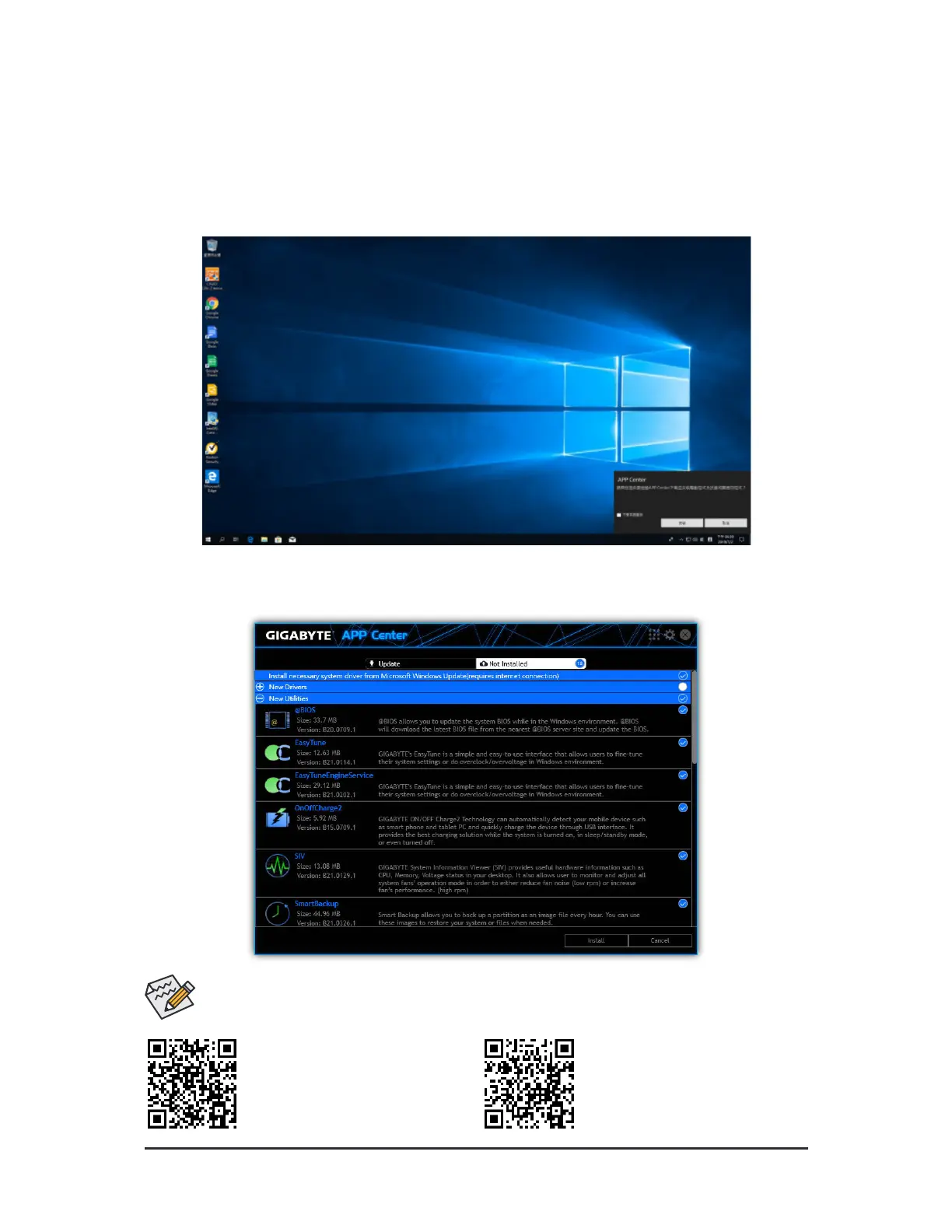
Ater you install the operating system, a dialog box will appear on the bottom-right corner o the desktop asking i
you want to download and install the drivers and GIGABYTE applications viaAPP Center. Click Install to proceed
with the installation. (In BIOS Setup, make sure Advanced\APP Center Download & Install Confguration\
APP Center Download & Install is set to Enabled.)
Beore the installation, make sure the system is connected to the Internet.
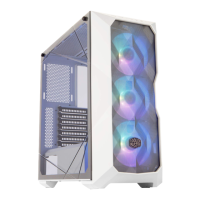
When the End User License Agreement dialog box appears, press <Accept> to install APP Center. On the APP
Center screen, select the drivers and applications you want to install and click Install.
3-2 Drivers Installation
Please visit GIGABYTE's website or
more sotware inormation.
Please visit GIGABYTE's website or
more troubleshooting inormation.
- 37 -



 To Next Page