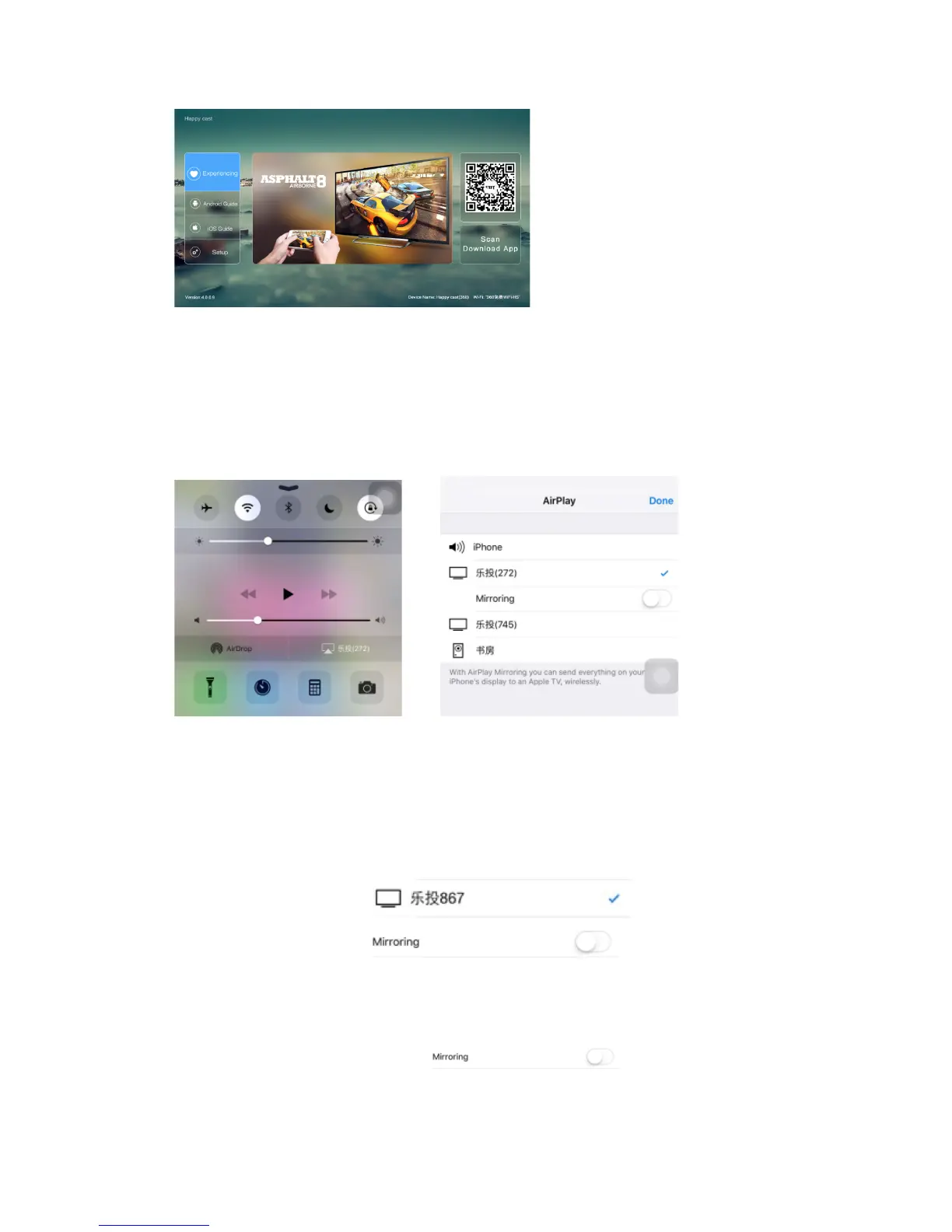
Apple iPhone settings:
To slide upward from the bottom of the iPhone screen to display the hidden menu.
There is Airdrop, and Airplay option. To choose the Airplay function.
Airplay settings
There is iPhone , device name and Mirror options listed on iPhone screen.
Airplay Mirror On
To choose device name “ for example, and to
turn on the Mirror function: ,for example, all
the iPhone images on the screen will be projected on the projector.
Airplay Mirror Off
To turn off the Mirror function, , the images on the
screen will not be projected on the screen. But the photos or the videos, can be


 To Next Page