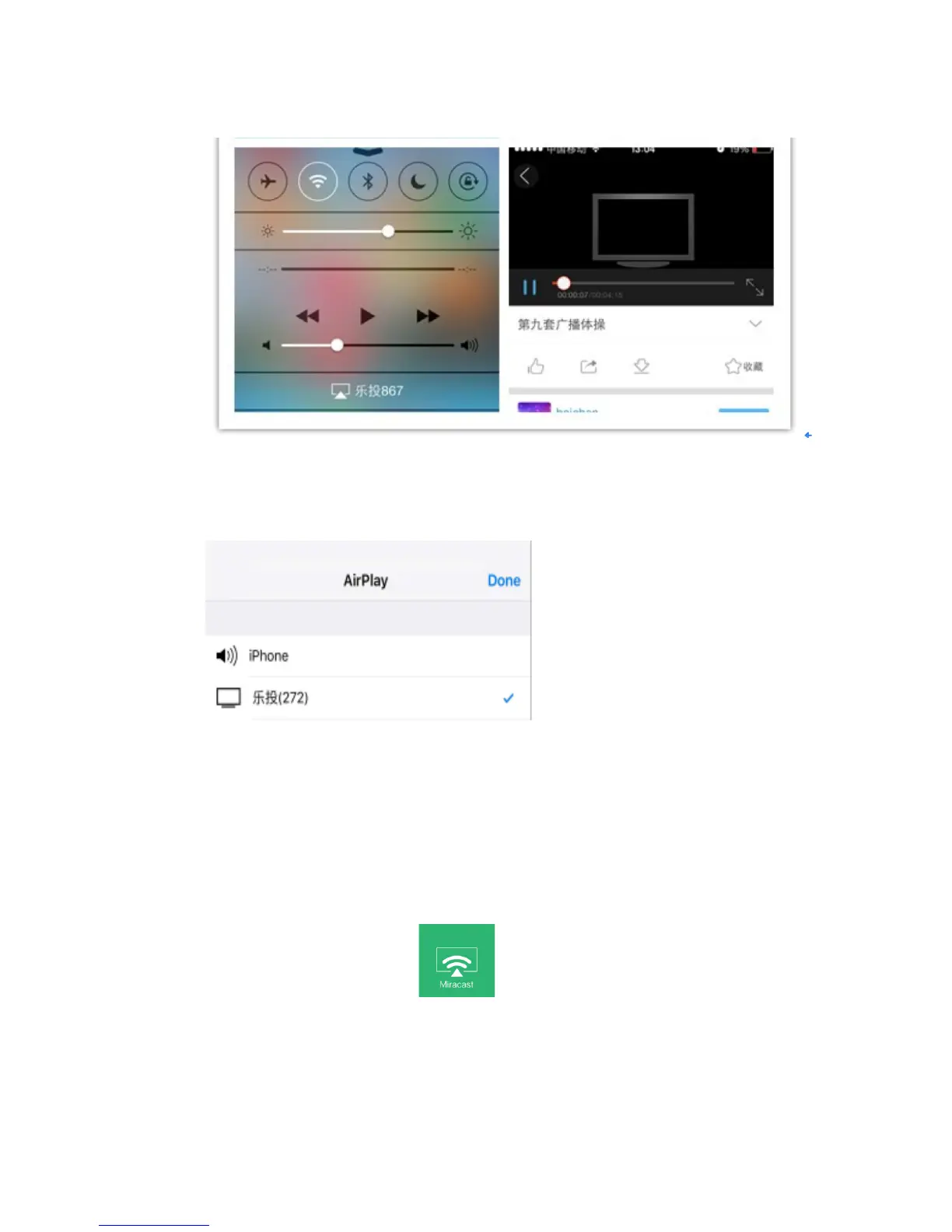
pushed onto the projector and played there
To turn off AIRPLAY function
To choose iPhone option, mobile phone projection will be disconnected and and the airplay
function will be turned off.
Android Phone+projector settings (Miracast mode)
Android phone setting (xiaomi phone example)
Projector Operation:
To click the Wireless Display Icon , the menu is as following:


 To Next Page