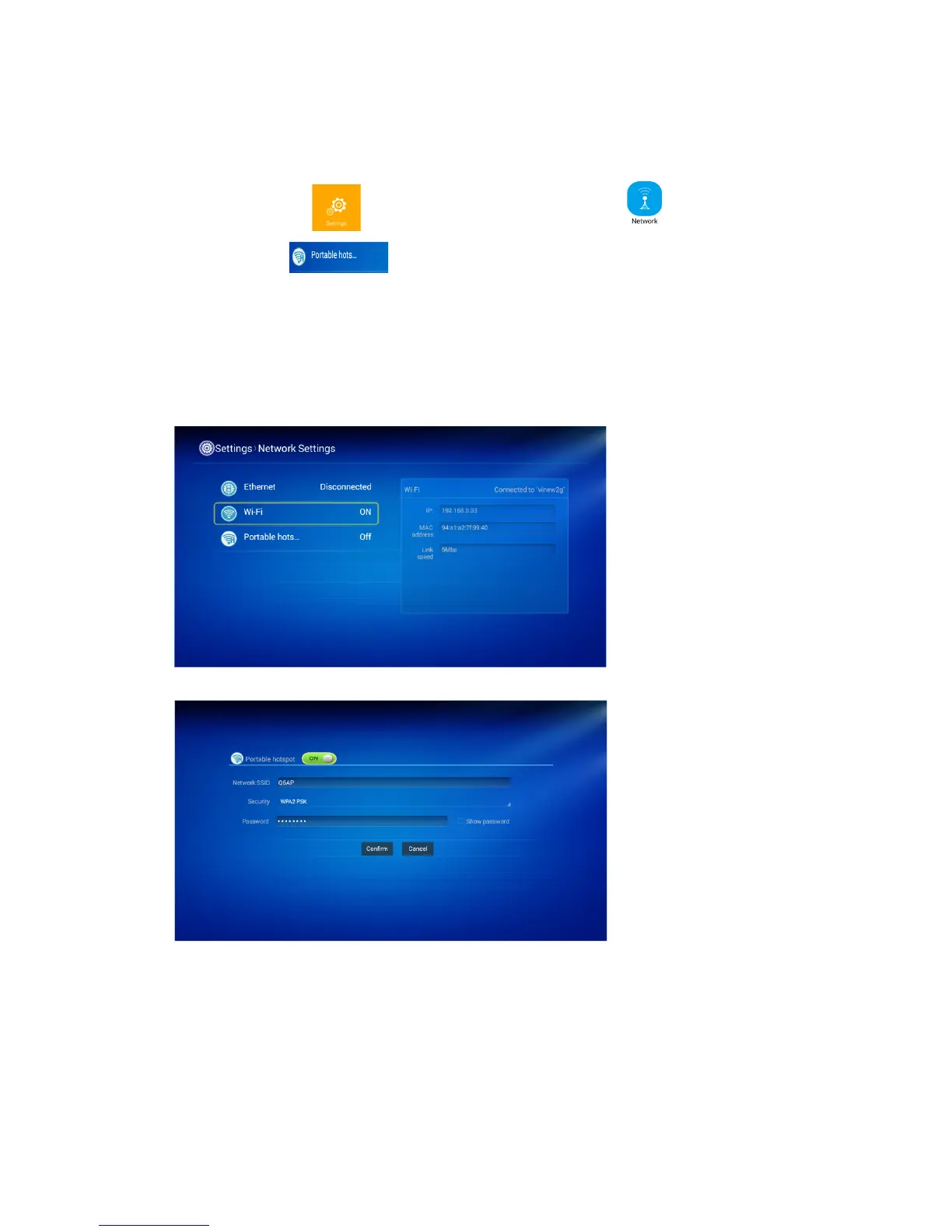
2. To set the Projector Hotspot
To click the WiFi icon, there is network setting menu . To click the
hotspot function , and to turn on this function, there is the default name:
AndroidAP and password:******.
You can reset the hotspot name and password for your convenience.
There is one option “ to show the password” on the menu.
To click the “confirm” to save your settings.


 To Next Page