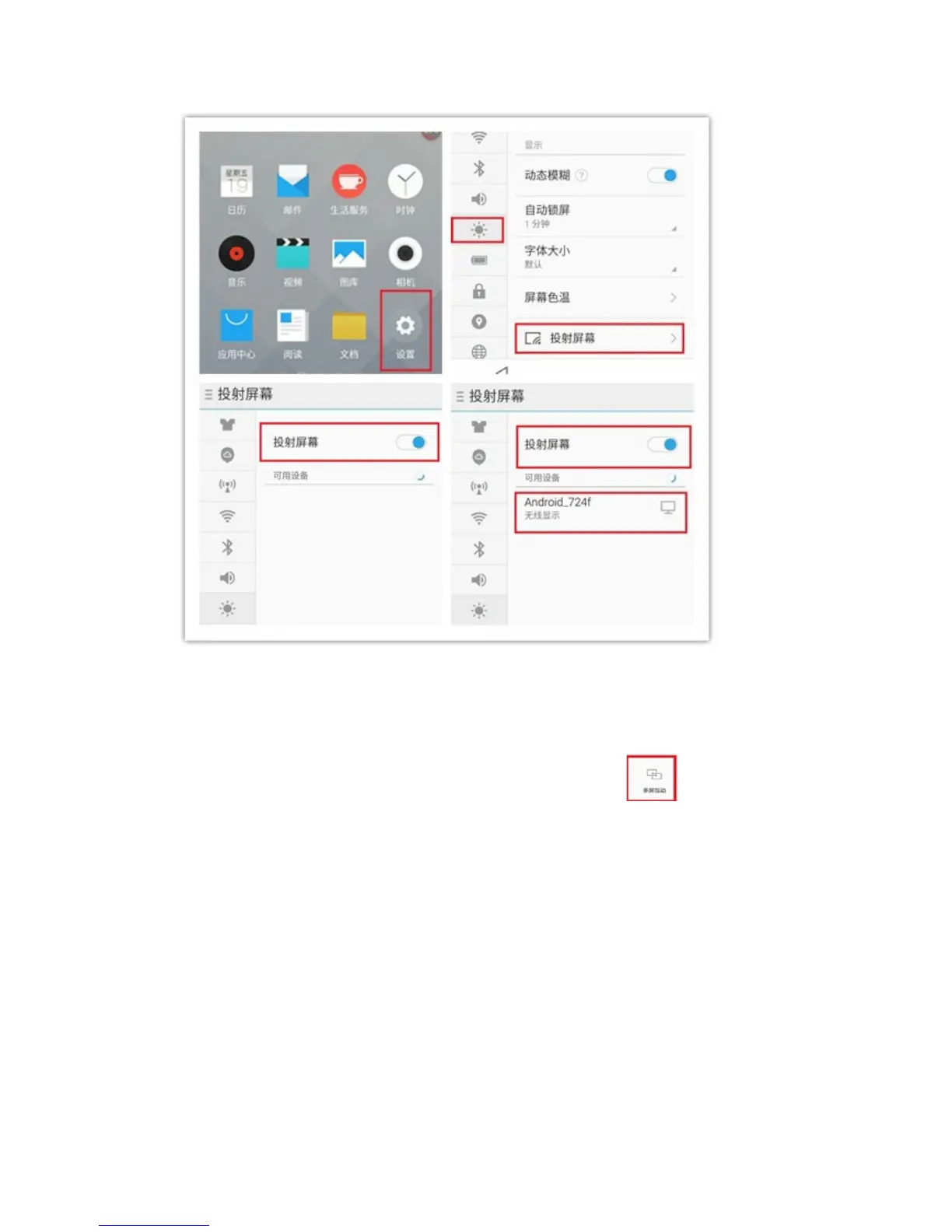
Android mobile phone settings for miracast (example3):
Mobile phone operation:
To slide down from the top toolbar, there will be a special logo .
To click this logo to activate Miracast function.
The mobile phone will search available devices. To choose the projector from the
list, and the images on the mobile phone will be projected onto the projector.


 To Next Page