English
Operating instructions
13
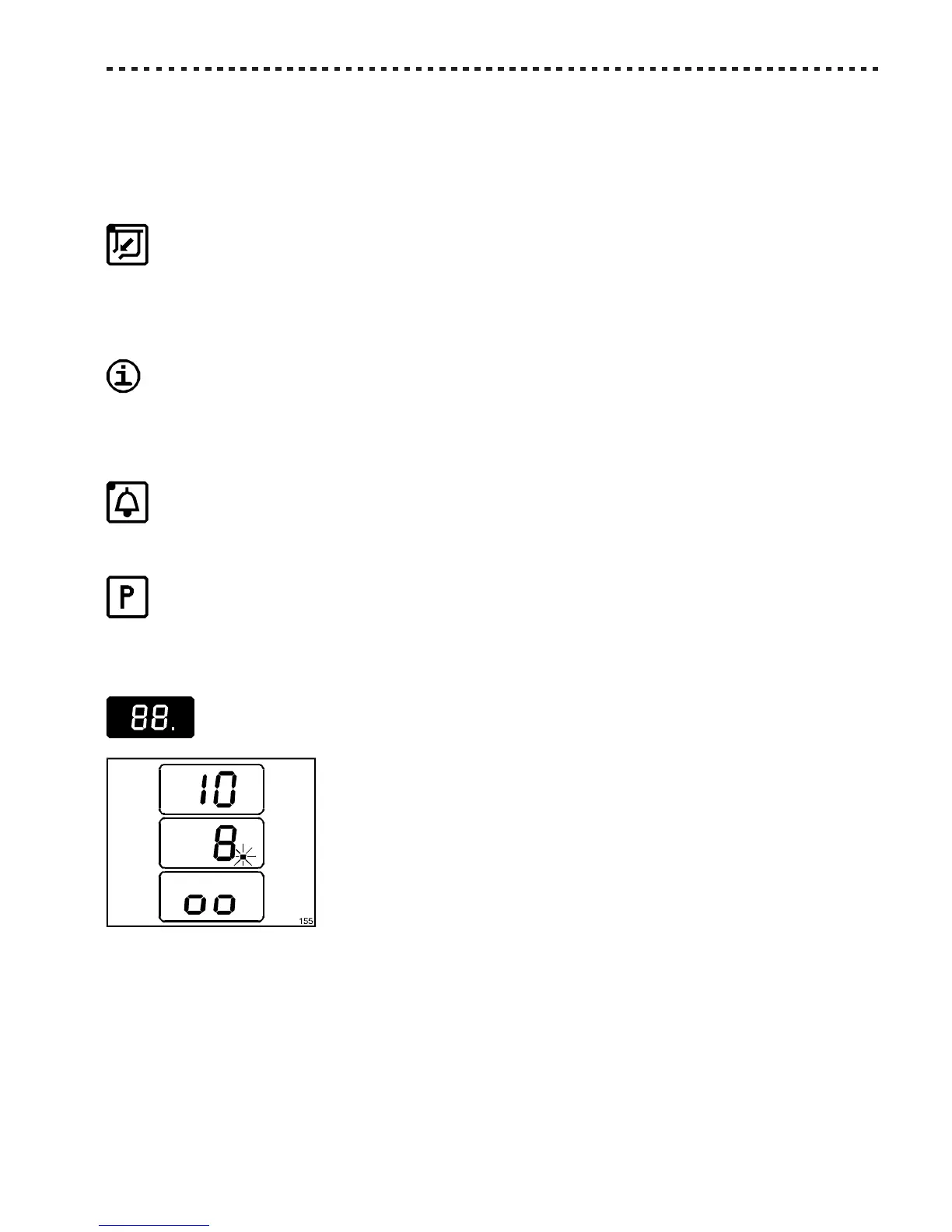
- The timer’s timing, signalled by the flashing spot visualised on the display, at the left of the residual whipping time.
The relative indicator [Z5], when lighted, indicates that the refrigerating plant is activated. It remains in function until:
- a new pressure of the REFRIGERATION/WHIPPING Pushbutton;
- at the end of the pre-set time on the timer. In this case the timer remains in function to avoid the formation of ice on the
cylinders walls (the [Z2] indicator is still lighted). To stop it, press the BEATING Pushbutton [K2].
EXTRACTION Pushbutton [K7]
Press this button to let the ice-cream get out of the extraction door. This happens by rapidly rotating the beater COUNTER-
CLOCKWISE. The refrigerating plant is automatically shut down to avoid the formation of ice.
Note: It is always suggested to wait for the end of the cycle ([Z5] indicator off) or stop the whipping by hand using the
REFRIGERATION/WHIPPING Pushbutton [K5] before commanding the extraction.
To avoid excessive stress, before commanding the extraction, it is necessary to OPEN THE EXTRAC-
TION DOOR.
The [Z7] indicator signals that the beater is in functioning COUNTERCLOCKWISE.
Press this button once again to end the extraction.
BUZZER Pushbutton [K6]
The device features a buzzer which rings when the processing time has come to an end. To function it, press this button (the
[Z6] indicator lights up).
SET UP Pushbutton [K8]
By pressing the pushbutton, the Display shows the operative cycles’ main values. Should the need arise to modify them,
press ADJUSTMENT [K3] and [K4]. For more details see Par. 6.3 - “Production”.
Digital display
- When the device is not functioning, the display shows the total whipping time
previously set (in prime minutes);
- When the device is in refrigeration/whipping, the display shows the residual whip-
ping time and a flashing spot;
- when it shows “oo” (two small squares) it indicates a machine failure:
• the lid is not correctly closed;
• the chute with protection flap is not correctly installed;
• a safety device has come into operation. See Section 10 - Malfunctions.



 To Next Page