Adapter Configuration
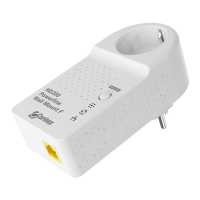
Corinex AV200 Powerline Ethernet Wall Mount F
15
Priority Status
Default Priority Shows the default priority for traffic
transmission.
Criterion 1 & 2 Shows which criteria are used to classify
traffic. This can be TOS, 802.1p or
Custom. If Custom, the complete
parameters are displayed below.
Please see chapter 3.4.7 for additional
information.
Security Status
Status Indicates whether or not the
configuration page is password
protected.


 To Next Page