36
Network Configuration
Corinex AV200 Powerline Ethernet Wall Mount F
6. Click OK in the TCP/IP Properties window to complete the PC
configuration, and click Close or the OK button to close the Network
window.
5.1.2 Setting up a static IP in Windows 2000
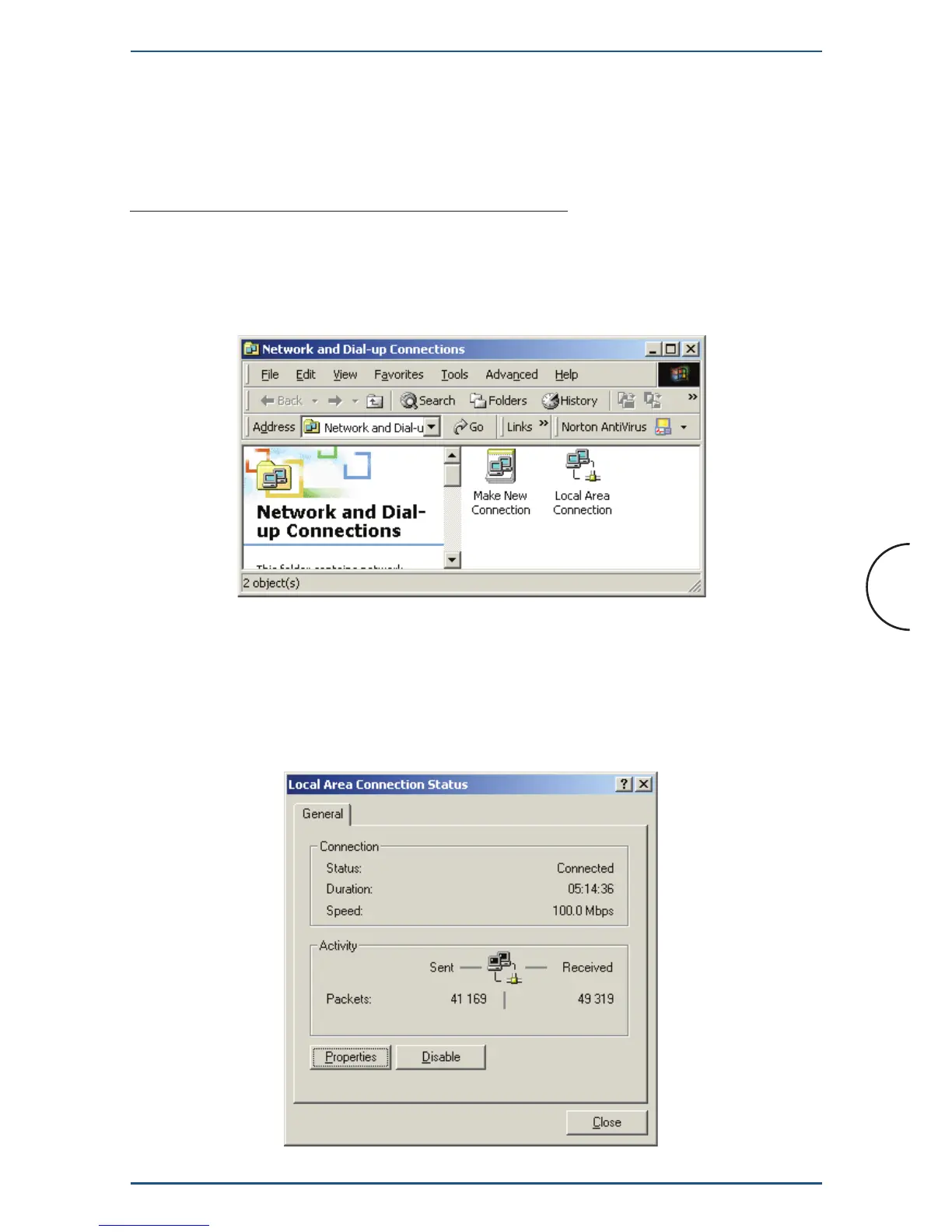
1. Go to the network screen by clicking the Start button. Click Settings
and then Control Panel. From there, double-click the Network and
Dial-up Connections icon.
2. Select the Network and Dial-up Connections icon for the applicable
Ethernet adapter (usually it is the first Local Area Connection listed). Do not
choose a TCP/IP entry which name mentions DUN, PPPoE, VPN, or AOL.
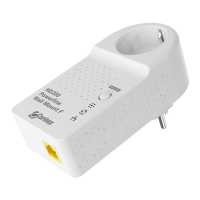
Double click the Local Area Connection. The following window will
appear.


 To Next Page