37
Network Configuration
Corinex AV200 Powerline Ethernet Wall Mount F
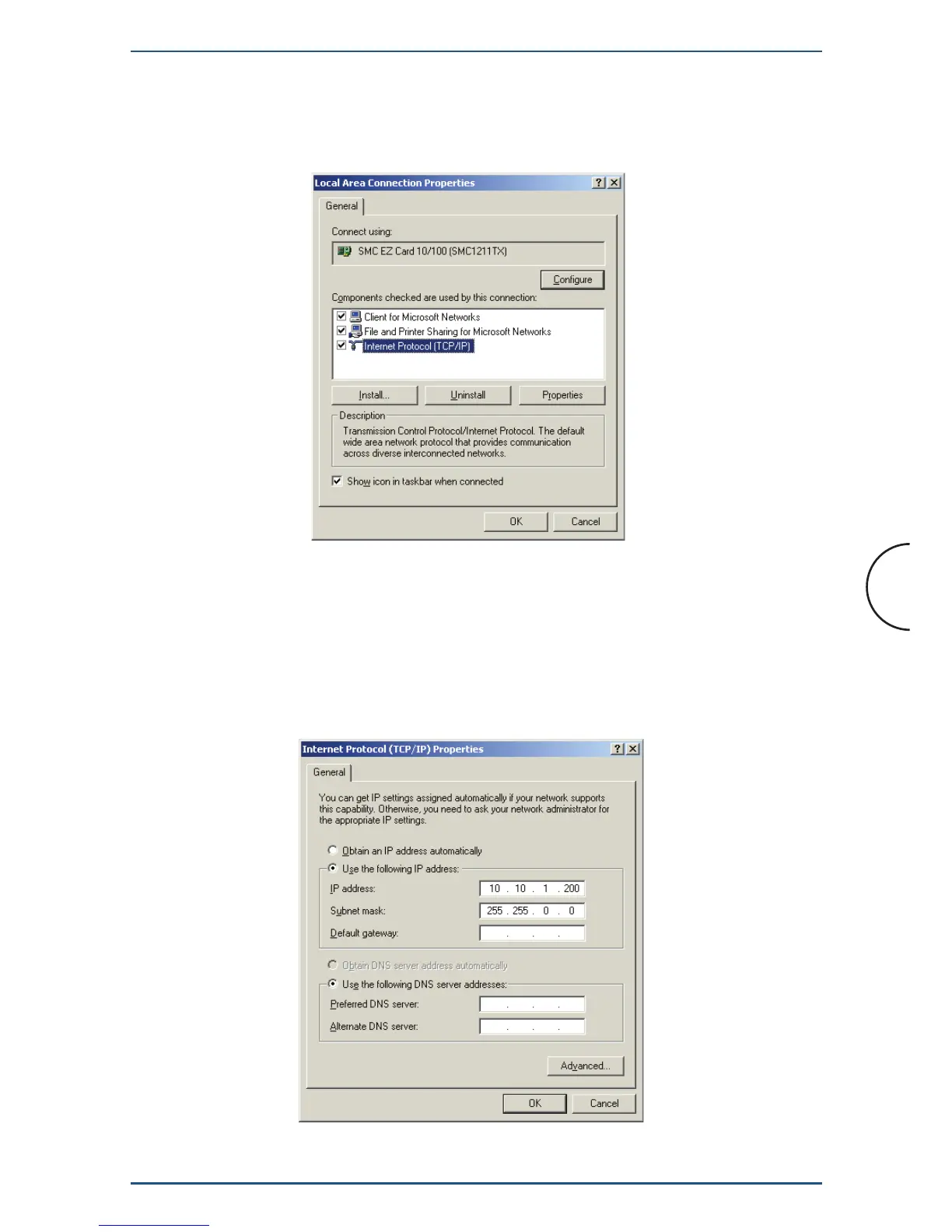
3. Click the Properties button to get to the Local Area Connection
Properties.
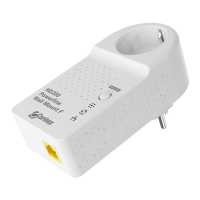
4. Select Internet Protocol (TCP/IP) and click the Properties button.
5. Select Use the following IP address. Set the IP address manually in the
format 10.10.1.X (for example 10.10.1.200) and mask 255.255.0.0 of local
TCP/IP settings. The Default gateway box can be left blank.


 To Next Page