Rack Installation
The Access Unit (AU) is a 19-inch 1U equipment shelf. When installing the AU in a rack, make sure the mechanical
loading of the rack is even to avoid a hazardous condition. The rack should safely support the combined weight of all the
equipment and be securely anchored. Installing the AU in a climate-controlled room with sufficient air circulation is
recommended as the maximum ambient temperature is +50°C.
To install the Access Unit (AU) in the equipment rack.
1.
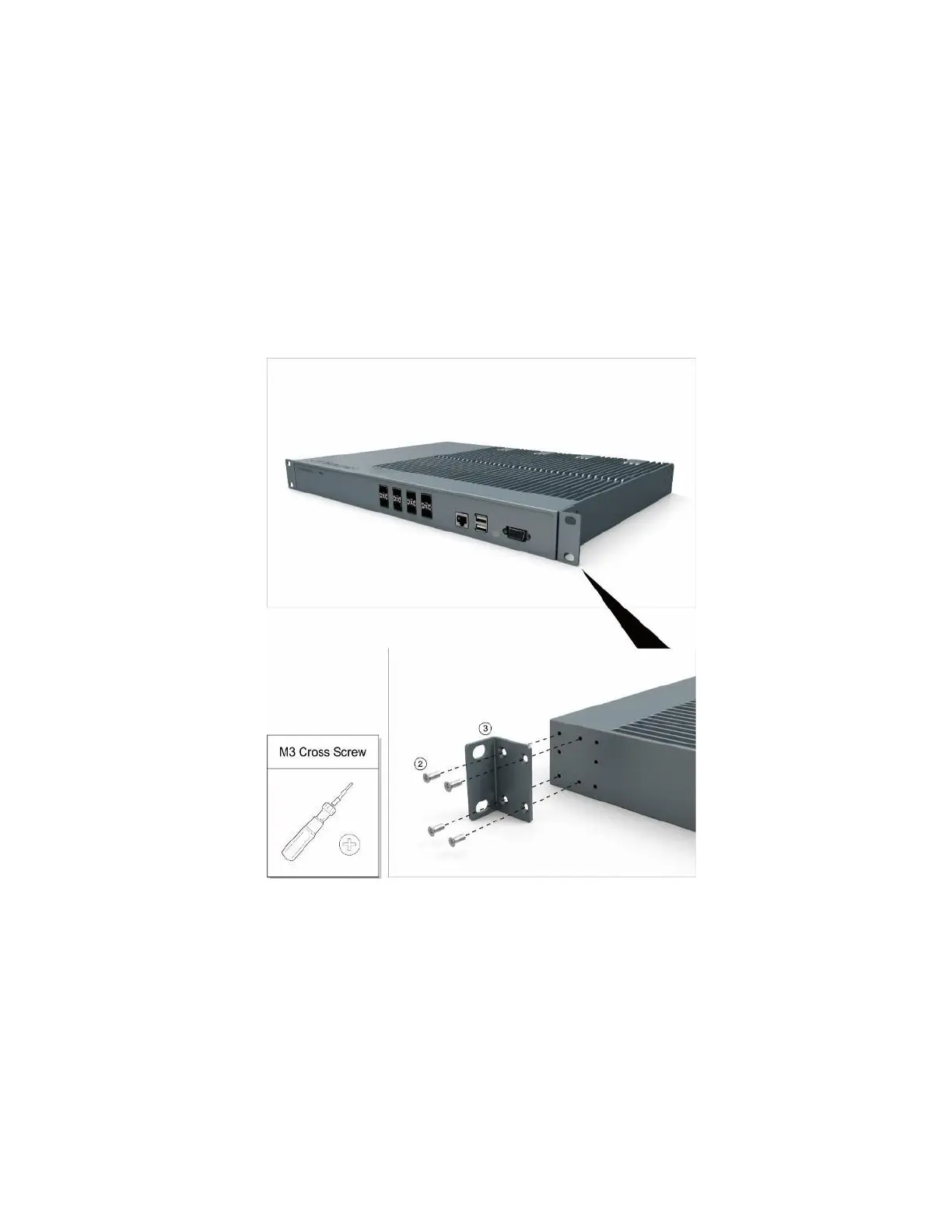
Attach the 19-inch mounting brackets at the front of the AU, using 4 screws M3×6 per bracket and the Phillips
screwdriver. Observe the orientation of the brackets.


 To Next Page