Corning Optical Communications
Installation Manual
|
CMA-793-AEN
|
Page 49
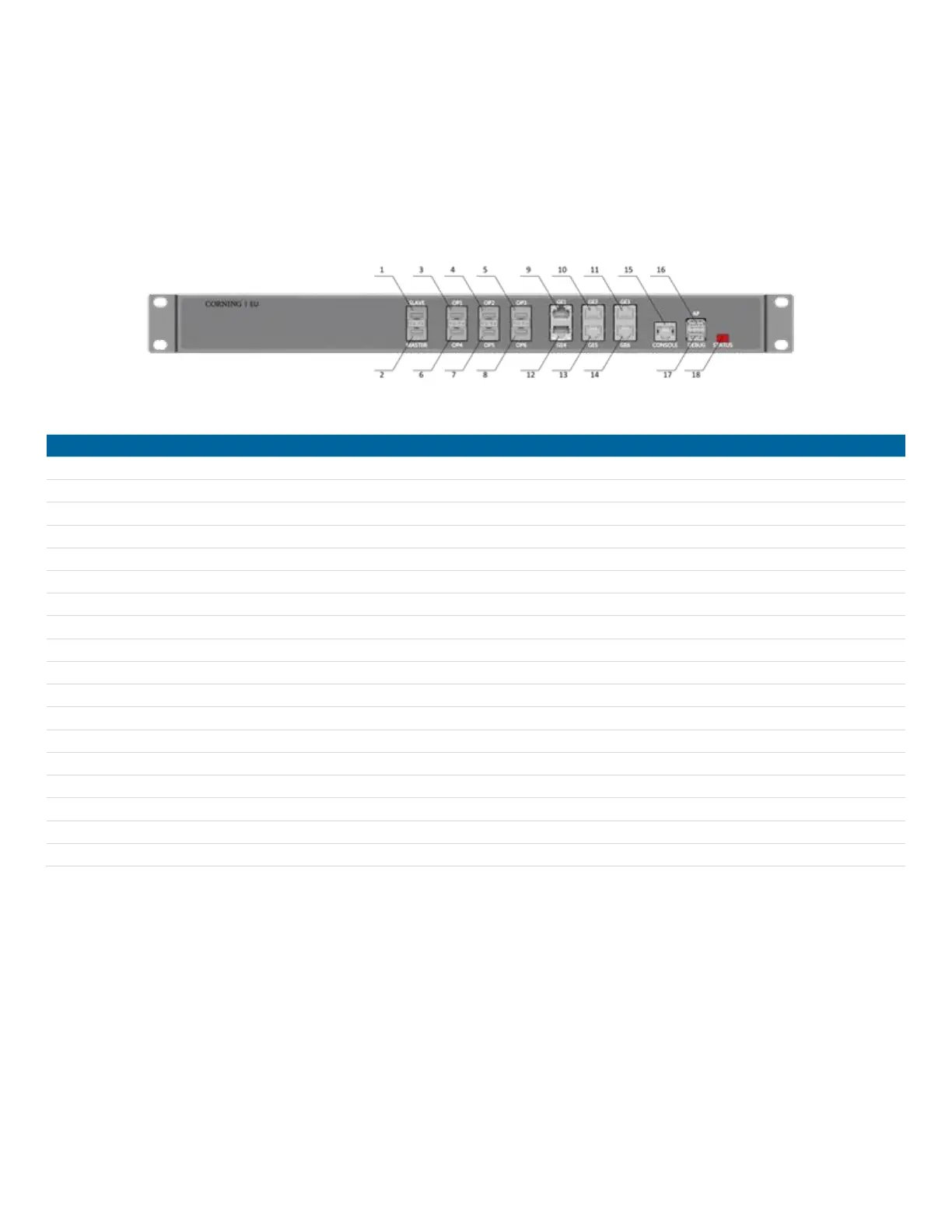
EU-O Optical Port Description
Obtain the required lengths of optical fibers for all the optical connections and connect the fibers on the front panel of the
Expansion Unit (EU). The interface type of SFP transceivers is an LC connector. It is important to label all ports on the
fiber distribution panel correctly. It is recommended to include additional length/slack in the optical fiber to allow future
reconfigurations without requiring additional splices.
EU Front Panel Interfaces
Connection for Master AU/EU at the next higher level
Connection for EU at the next lower level
Wi-Fi signals or S1 signals input
Wi-Fi signals or S1 signals input
Wi-Fi signals or S1 signals input
Wi-Fi signals or S1 signals input
Wi-Fi signals or S1 signals input
Wi-Fi signals or S1 signals input
Connection for local PC through CAT-5 for local monitoring
Connection for WLAN Network adapters for monitoring device through Wi-Fi
Connection for local debugging PC through USB wire
Indicates device operating status


 To Next Page