3-24
Section 3
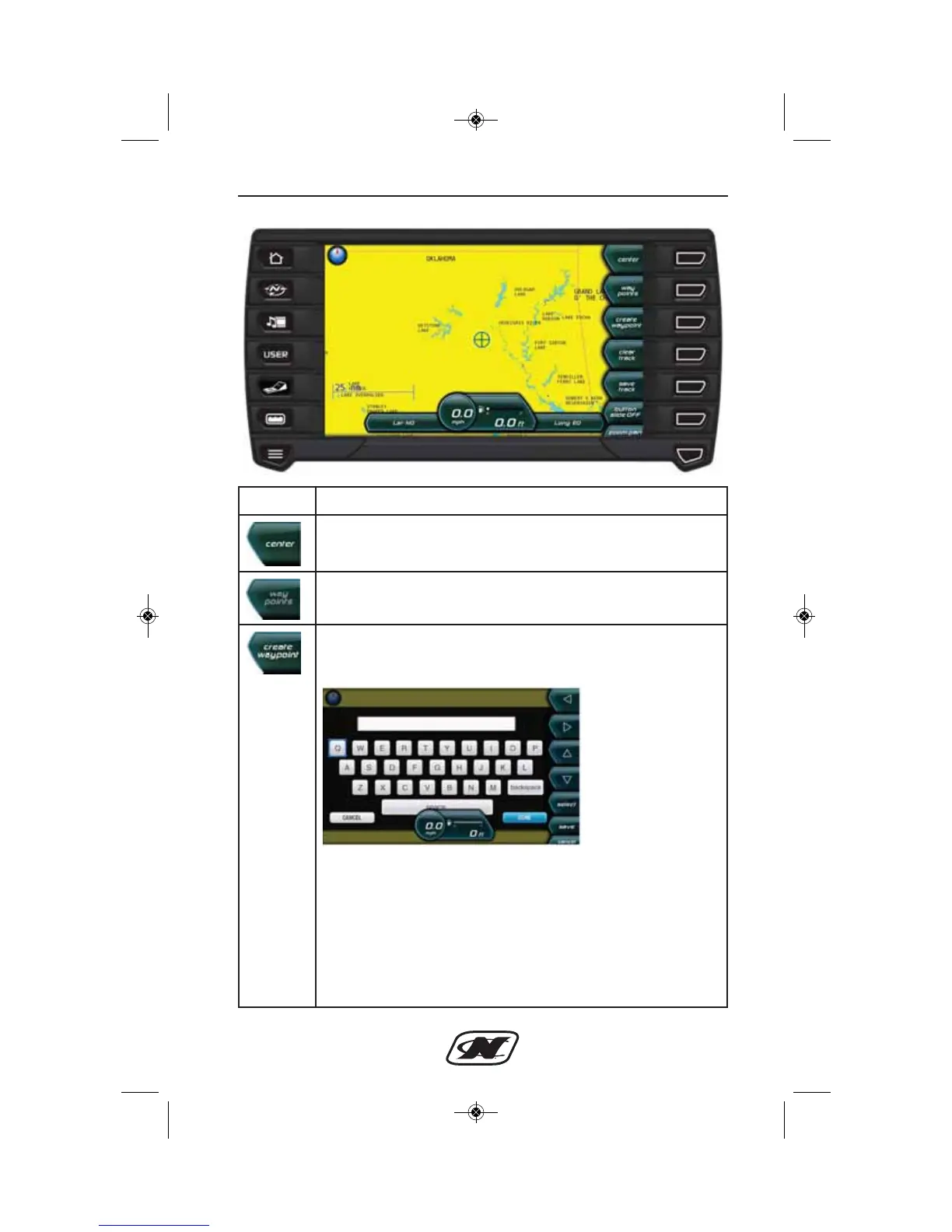
Soft Key Description
CENTER – returns the crosshairs to the center of the cursor.
WAYPOINTS – displays a list of waypoints.
CREATE WAYPOINT – displays a keyboard. Enter a name
for the waypoint. The waypoint will be set where the cursor
has been placed. You can edit the waypoint in Map Utilities.
LEFT – RIGHT – UP – DOWN ARROWS – navigate the
keyboard.
SELECT – places the selected letter in the space at the top of
the keyboard or performs the function selected.
SAVE – saves the waypoint and the name.
CANCEL – removes the keyboard without saving the
waypoint or the name.








 To Next Page