3-29
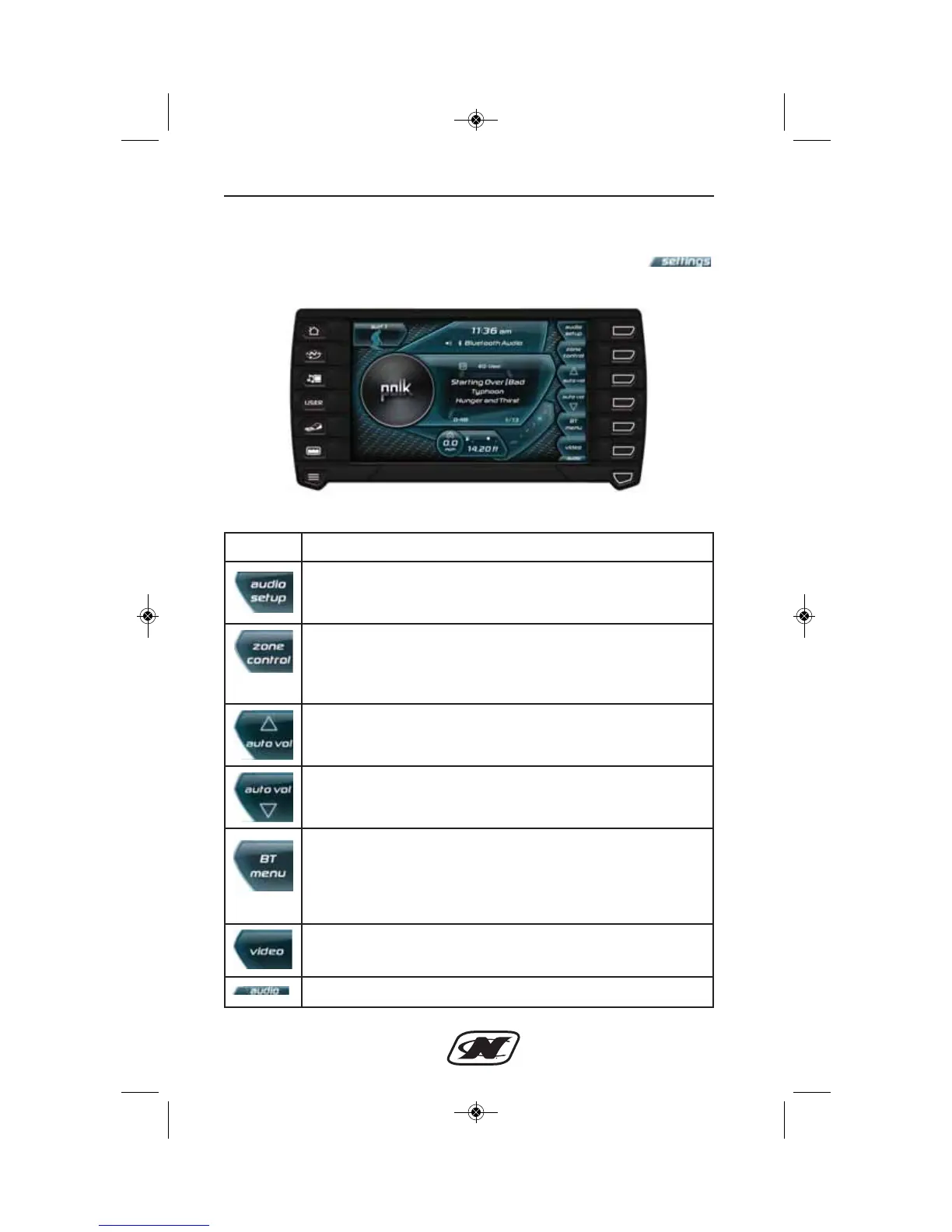
Media Settings Menu (G21, G23, G25)
The Media Settings menu can be accessed by pressing the
soft key from the Media Display.
Media Settings Menu
Controls and Indicators
Soft Key Description
AUDIO SETUP – brings up a menu to adjust the treble, mid,
bass, balance, fade and equalizer preset. The “loudness”
setting can be turned on or off here as well.
ZONE CONTROL (if equipped) – brings up a menu to
individually adjust the volume level for bow, cockpit dash,
tower and subwoofer zones. Equalizer presets can be
changed here as well.
AUTO VOLUME UP – increases the degree of change in
volume based on boat speed.
AUTO VOLUME DOWN – decreases the degree of change
in volume based on boat speed.
BT MENU OR PLAYLIST – depending upon the selected
mode, this will either be the Bluetooth Menu button that
brings up a menu for pairing and connecting Bluetooth
devices OR it will be a Playlist button that brings up the
playlist settings for USB-connected devices.
VIDEO – switches unit to video mode.
AUDIO – brings up the main audio menu.








 To Next Page