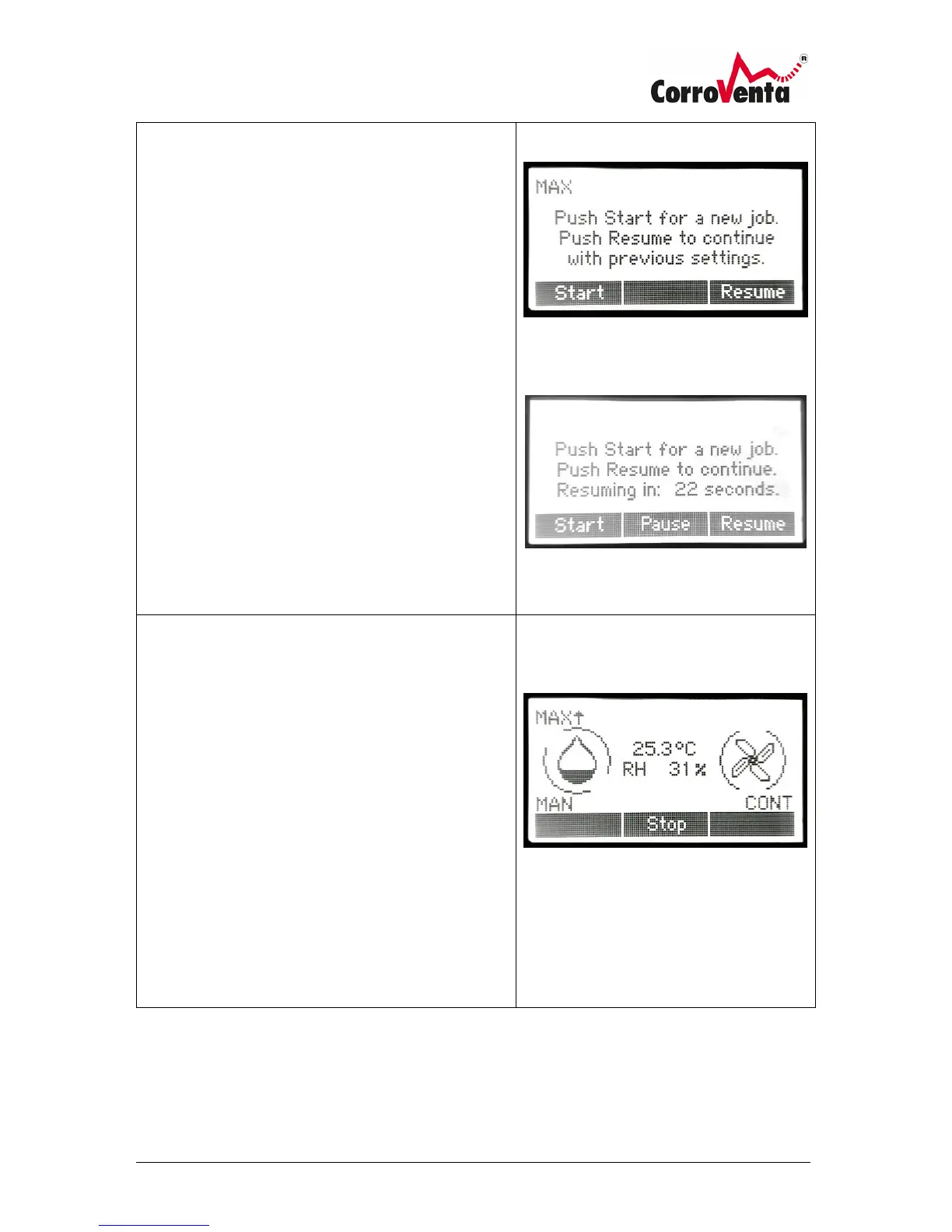
Start up view
When the A ES starts up, the display presents the user
with two options:
Start: Starts the machine with default settings,
continuous operation with maximum capacity.
Previous settings made such as the use of sensor
control, Timer etc..
Resume: The machine resumes operation with the
settings it had last time it was used.
If, last time it was used, the user never pushed stop
before the power was cut, the machine will
automatically resume operation when the countdown
has reached zero.
A push of Pause button will stop the countdown and
the machine will remain in standby until manually
started.
Default View
When the A ES is operating, the machine can always be
stopped, set to standby, by use of the center button
below the display.
When the machine is running with a control mode
other than MAN, manual, the setpoint value which is
highlighted with black background at the center of the
screen can be increased and decreased by use of the
minus (-) and plus (+) buttons respectively.



 To Next Page