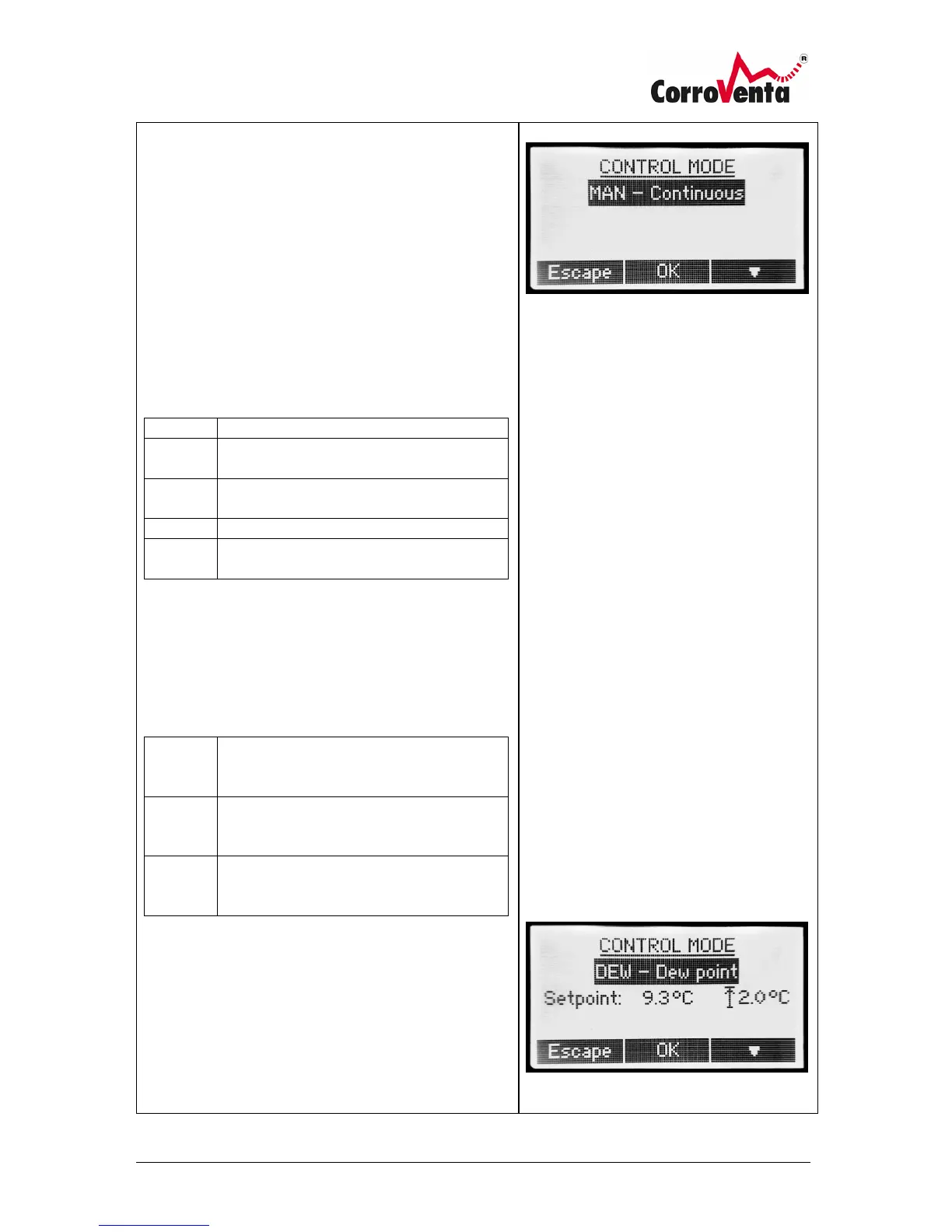
Control Mode
The Control Mode determines whether the drying shall
be continuous (MAN – manual mode) or if it shall
operate only when required as determined by the
ambient climate.
The selected control mode is displayed in the lower left
corner of the default view.
The Control Mode selection screen is reached by one
push of the upper right button.
The following basic control modes are available:
Manual, continuous drying.
Drying down to selectable Relative
humidity, %.
Drying down to selectable mixing ratio,
g/kg.
Drying down to selectable dew point, °C
Drying controlled by external hygrostat
connected to the machine.
Through its network capabilities, the machine can also
connect to external RHT sensors and use their values to
control the operation rather than using the built-in
Relative Humidity and Temperature sensor. For this
purpose there are also the following External sensor
modes:
Drying down to selectable Relative
humidity, % as given by external RHT
sensor(s) connected to the machine.
Drying down to selectable mixing ratio,
g/kg as given by external sensor(s)
connected to the machine.
Drying down to selectable dew point, °C,
as given by external sensor(s) connected
to the machine.
The External control modes require the machine to be
networked and connected to an external RHT sensor. If
the machine is not networked already, the machine will
ask if it shall create a network.
If there are multiple sensors in the network and
alternative <All< is selected rather than one unique
sensor, e.g. RHT61, the machine applies “worst case”
and operates as long as any one of the sensors read a
humidity above the setpoint.



 To Next Page