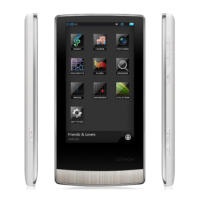
COWON D2+
17
3. Display
1. Language
· Sets the language in COWON D2+
2. Title
· Sets how the player displays file names on the screen.
· Choose ID3 tag to display tag information (artist, title) while playback.
3. Play time
· Sets how it displays time information of current file.
·Play time shows elapsed playback time and Remaining shows the remaining playback time.
4. Scrollspeed
· Sets the scrolling speed for text displayed on the screen.
· Larger the number, faster the scrolling speed.
5. Wallpaper
· Sets the wallpaper for Music mode.
· If None is selected, wallpaper is not displayed.
· If Defaults is selected, default wallpaper will be displayed.
· If Custom is selected, the image set as Wallpaper in Picture mode will appear as the wallpaper.
6. Lyrics
· COWON D2+ can display lyrics of music files that contain lyric information.
· When enabled, lyrics of the music file being played is displayed on the screen.
· Music files without lyrics will not display lyrics even if this feature enabled.
· For more information regarding using lyrics, please refer the COWON’s homepage (www.COWON.
com) under FAQ-How to use LDB Manager.
7. LCD Auto off
· Sets how long the screen stays on before it turns off.
· If there is no operation for a specified period of time, the screen will automatically turn off.
8. Brightness
·Sets the screen brightness.
9. Set Font Color
· Sets the default font color for display
10. TV-Out Methods
· Sets the signal out to TV
11. 7.5 IRE
· Sets the brightness of the signals to TV
· The 7.5 IRE is a U.S. analog signal brightness standard and is used in US, Korea, and other countries.
(Most countries use 0 IRE)
· Sets this if the TV is made for use in Korea or in U.S.
Basic Operations


 To Next Page