11
WEATHER
Displays the current weather conditions and a four-day
forecast.
1. Touch the Weather widget. The current conditions and
four-day forecast will appear.
2. Touch Local Radar for a weather radar view of your location.
3. Touch the location button to view weather for different
locations.
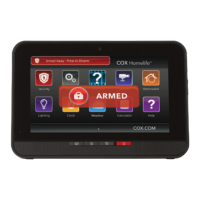
TOUCHSCREEN CONTROL PANEL
WORD OF THE DAY
Displays the word of the day and its definition.
SUDOKU
Challenge your mind and have fun at the same time.
1. Touch the Sudoku widget.
2. Choose the level of difficulty — easy, medium or hard.
3. Play the game.


 To Next Page
 Loading...