C-SMART-
l Pro Uaar Manual
C-SMART-lPro Uoar
Manual
Selecting
a File
System
To
choose
a
different
file
system,
press the SYSTEM .& or
T
key. The
file
system shown in the
display
is the
selected system.
1)
Continuous Rotary
File
Systems
When a file
system
has been
selected,
the first file of the system
will
automatically
be shown in the
display.
Press the
FILE.,..key
to select the next
file.
Press the FlLE
.t..
key to
select
the
previous
file.
LtcAUTION
Do not use files
designed
for
reciprocating
motion in
continuous
rotation.
2)
Reciprocating
File
Systems
Some files are
designed specifically
for use in
reciprocation, whereby the
device
is
driven
first in a
cutting direction
and then
reverses
to
release the
device
.
The
angles
of
reciprocation
are
precise
and
specific
to the
design
ofthe device.lf
one of above
mentioned reciprocating
files has been
chosen,
Ml
·<·
•.,
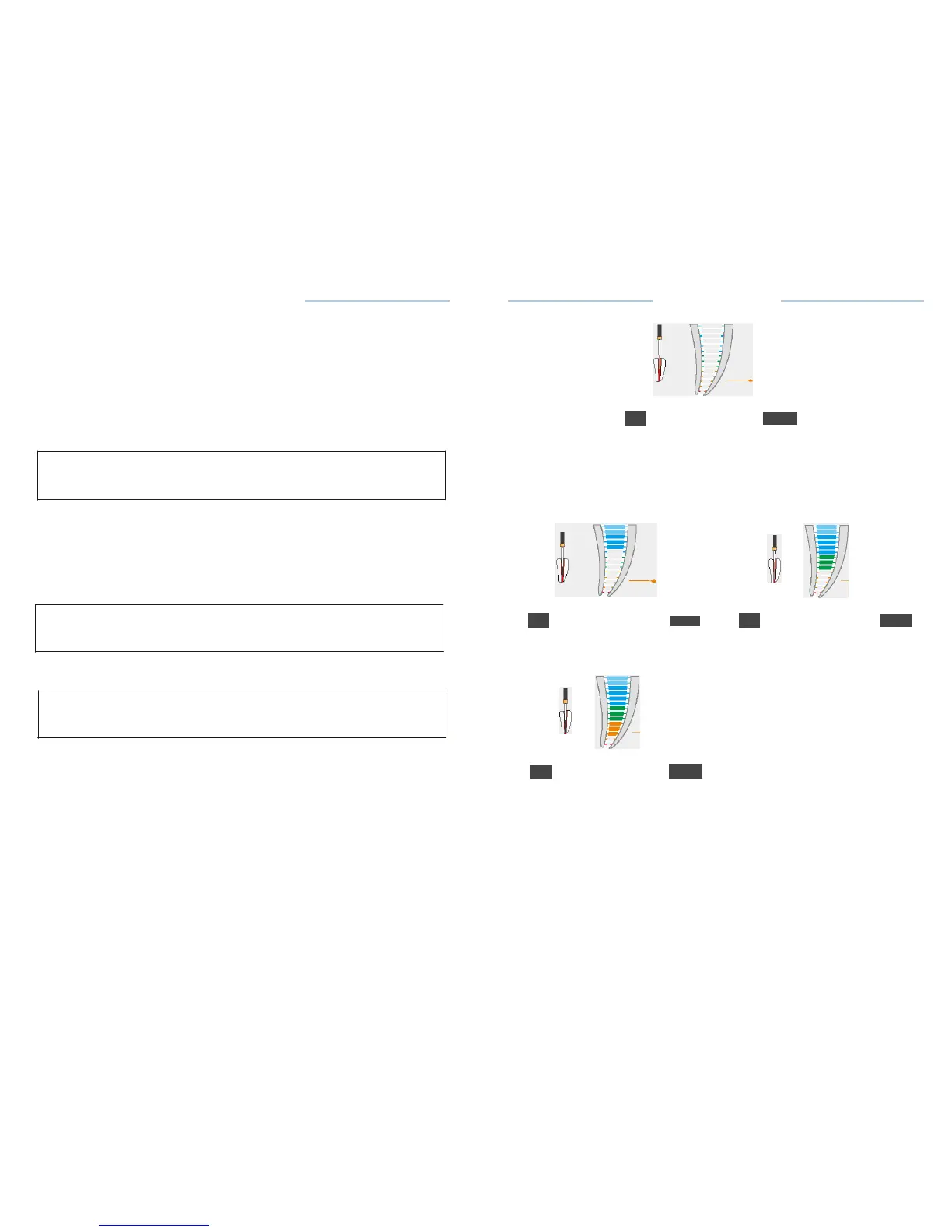
Fig.18 Coronal
and
Medial
Area
RootApex Area
•
The
movement
of the file is
displayed
on root apex
area.
•In
the root apex area the
indication
dot
indicates
the exact
position and
changes accordingly
from blue to green and then to
yellow
(Fig.
19,Fig.
20).
the
speed
and torque
display
1.2
0.7
LtcAUTION
Do not use files
designed
for
continuous rotation
in
reciprocating
motion.
Ml
<·
•.,
Ml
r:
•.,
Fig.19
ApexArea-Biue
Fig.20
ApexArea-Green
8.3.2.5 Changing
Speed and
Torque
LtcAUTION
While the motor
handpiece
is in
motion,speed
and
torque
can not be
changed
·When
the
desired continuous rotary
file is
selected,
you can
adjust
speed
or
torque value;
·Press
SET keys to select speed or torque to
adjust;
• Press set Up or Down key to
adjust desired
value;
·The
speed
setting
can be
adjusted from150
to 650 rpm. The torque
setting
can be
adjusted
from 0.6 to 5.2
N.cm.
• The
change
will be saved
automatically.
Press any key other than SET
and
up or down key to exit the
setting,
or exit the
setting automatically
after
3
seconds.
·To
return
to
default settings
see
chapter
8.7
Factory Default Parameters.
0.2
Ml
«·
•.,
Fig.21 ApexArea-Yellow
•
File
movement
in the Apical Zoom is
accompanied
by audio
signals,which
serve as
additional indication
of the file tip
position.The interval between
the beeps
becomes shorter
the more the file
approaches
the
apex.
•
When the file tip
reaches
the
apical
foramen
the
indication
dot is
marked
red and a
constant
sound is
emitted(Fig.
22)


 To Next Page