C-SMART-
l Pro Uaar
Manual
8-3.1.3
working
1)
Starting
Length
Measurement
&.
CAUTION
C-SMART·lPro Uoer
Manual
•
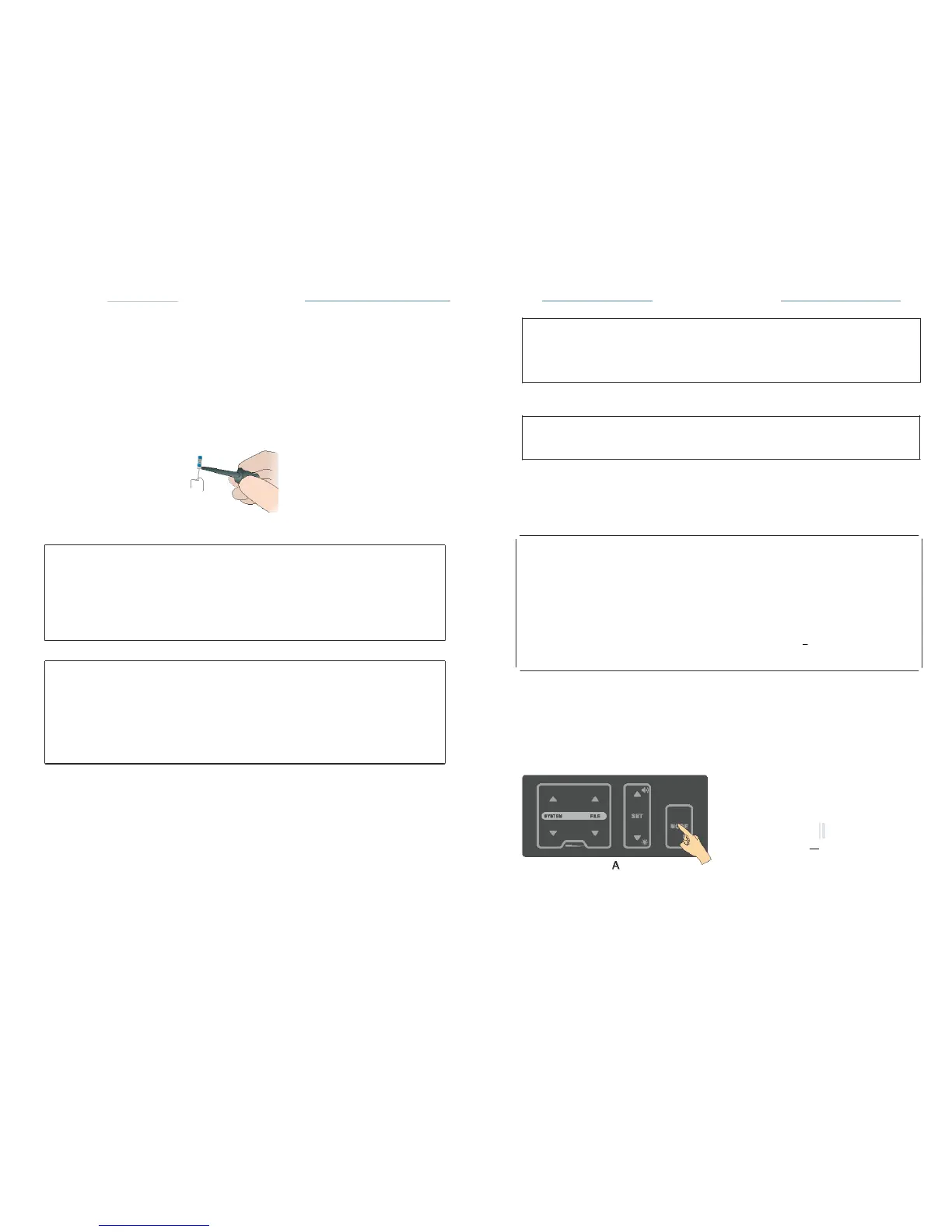
Connect
the File clip and the lip hook to the test
wire.
• Place the lip hook on the
patient's
lip on the
opposite
side of the tooth to
be
treated.
•
Insert
the file into the root canal and hold the file clip in the metal part of
the
file
(Fig.
17)
• The file
movement
in the root
canal
is shown on the left side of the
screen
work area (Fig.
16)
Fig.17
Before
using the motor
handpiece,
verify the
correctness
of the
changed
parameters.
8.3.2.6
Auto
Reverse
r:::J='
NOTE
In
reciprocating motion,the
auto
reverse function
is
disabled.
AUTO
REVERSE
on:
If,
during operation
the load
reaches
the
preset torque limit value,
the
motor
handpiece
will
automatically
rotate in the
reverse
direction.
When the load
is
removed,
the motor
handpiece returns
to
normal
forward
rotation
automatically.
r:::J='
NOTE
If no
progress
of the file
indicate faulty connection:
•
Check proper
connection
of the test
wire.
•
Clean the File clip
contact.
• Irrigate
the
canal,if
necessary,
and start
again.
&.
CAUTIONS
I
Load
within
the
Torque Limit
Value
I
Forwar
d Rotation!
,T.,
Further Loading
beyond the
preset
Torque Limit
Value
I
Reverse
Rotation
I
I
When the load
is
reduced,
The motor
is
automatically restored
I
Forwar
d Rotation
!
•
We
recommend
that not to
continue
the
measurement if
the
faulty
connection appears.
•
Go to the CHECK Mode to check the
performance
of the
device
(see
chapter
8.4
)
.
AUTO
REVERSE
off:
If,
during
operation
the load
reaches
the preset torque limit value, the
motor
handpiece
will stop
without reverse
rotation.
If
you want the file to rotate
forward again,press
the ON/OFF key
once.
On/off Auto
Reverse Function:
2)
Measurement
Coronal
and
Medial
Area
•
Slowly
insert the
measuring
file into the
canal.
• File
movement
along the
coronaland
medial
section towards
the apex
area
is
represented
on the full root canal image by the file
continuously moving
down
(Fig.
18).
0
SETUP
A
ectdlfl'erelltllnguegu
A
:! fT
;
.
AnrwWMmode
F
: !!
t
g
b
l
,.-
'!.'!t
L
b
dll.ytlm
..
eg
&
:
-
8
J
I
IrlltiiNoMIIMr
y
MI'III'.f
B
English
.,.
ON
•
ON
•


 To Next Page