12
DATA LOGGING
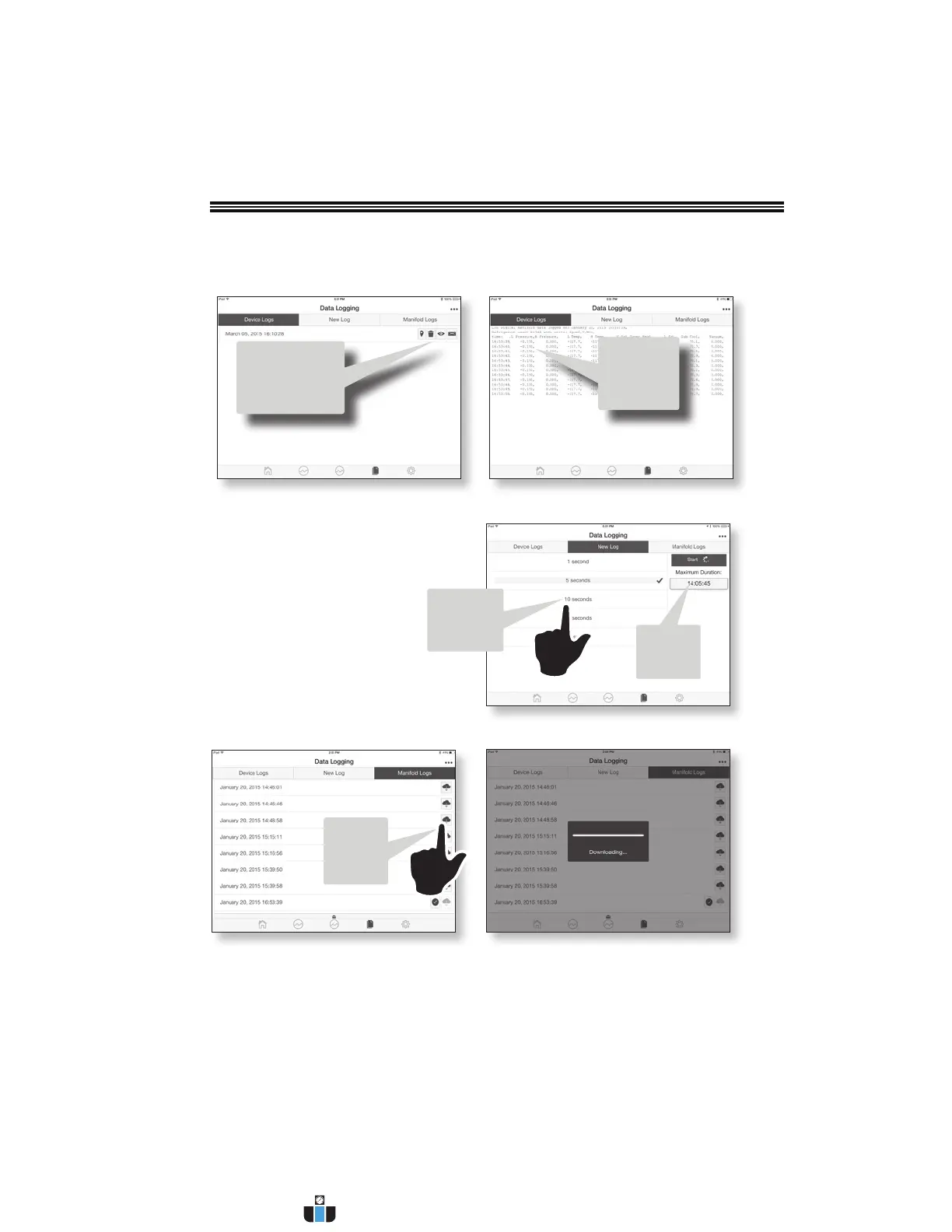
Touch
icon to
download
a file
Mobile Device Logs
1. Shows logs stored in the mobile device’s local storage.
2. For Geolocation, Delete, View or Export logs, touch icons.
New Log Tab
1. For starting new data logging in the
Manifold
2. Select frequency in which the
manifold will record values
3. View maximum time remaining
4. Start/Stop logging at any time
(or let system run until no more
Manifold memory).
All stored files have
option of showing
Geolocation, Delete,
View Or Export
Logs stored in
mobile device
Manifold Logs
1. Shows logs stored in manifold
2. Can only erase entire memory
3. Download any file to mobile device
Maximum
time
remaining
Touch
to select
interval
time
www.calcert.com sales@calcert.com1.888.610.7664
0
5
10
15
20
25
30


 To Next Page