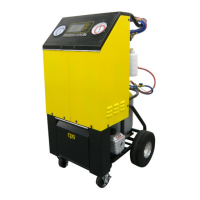
OPERATING INSTRUCTIONS FOR THE FA1000
9
EVACUATE MODE:
The EVACUATE Mode would be chosen to remove air and moisture from an Automobile A/C system that has been
open to the atmosphere.
CAUTION: Air and moisture in an A/C system can cause premature failure of A/C system components.
TIME REMAINING
00:00:00
QUIT >
EVACUATION IN PROGRESS
The LCD will now read:
The vacuum pump will run until the
TIME REMAINING
reaches 00:00
TIME REMAINING
00:02:00
PLEASE WAIT
SKIP >
LEAK CHECK IN PROGRESS
The unit will then proceed to a 2:00 minute leak check
test.
The LCD will now read:
From the Main Menu screen,
Push the
EVACUATE
key.
00:10:00
TIME + >
TIME - >
START >
QUIT >
SET EVACUATION TIME
The LCD will now read:
Push the + or – ARROW keys until the desired
vacuum
time is programmed. Once done, push the
START
key.
SELECT MODE
RECOVER >
EVACUATE >
CHARGE >
FULL CYCLE >
TANK REFILL >
CHARGE >
QUIT >
EVACUATION COMPLETE
If leak check fails, check A/C system for leaks.
If leak check passes
The LCD will now read:
SELECT MODE
RECOVER >
EVACUATE >
CHARGE >
FULL CYCLE >
TANK REFILL >
Push the
QUIT
key to return to Main Menu or
CHARGE key
for charge operation.
NOTE: If a leak is detected, the LCD will be prompted.


 To Next Page