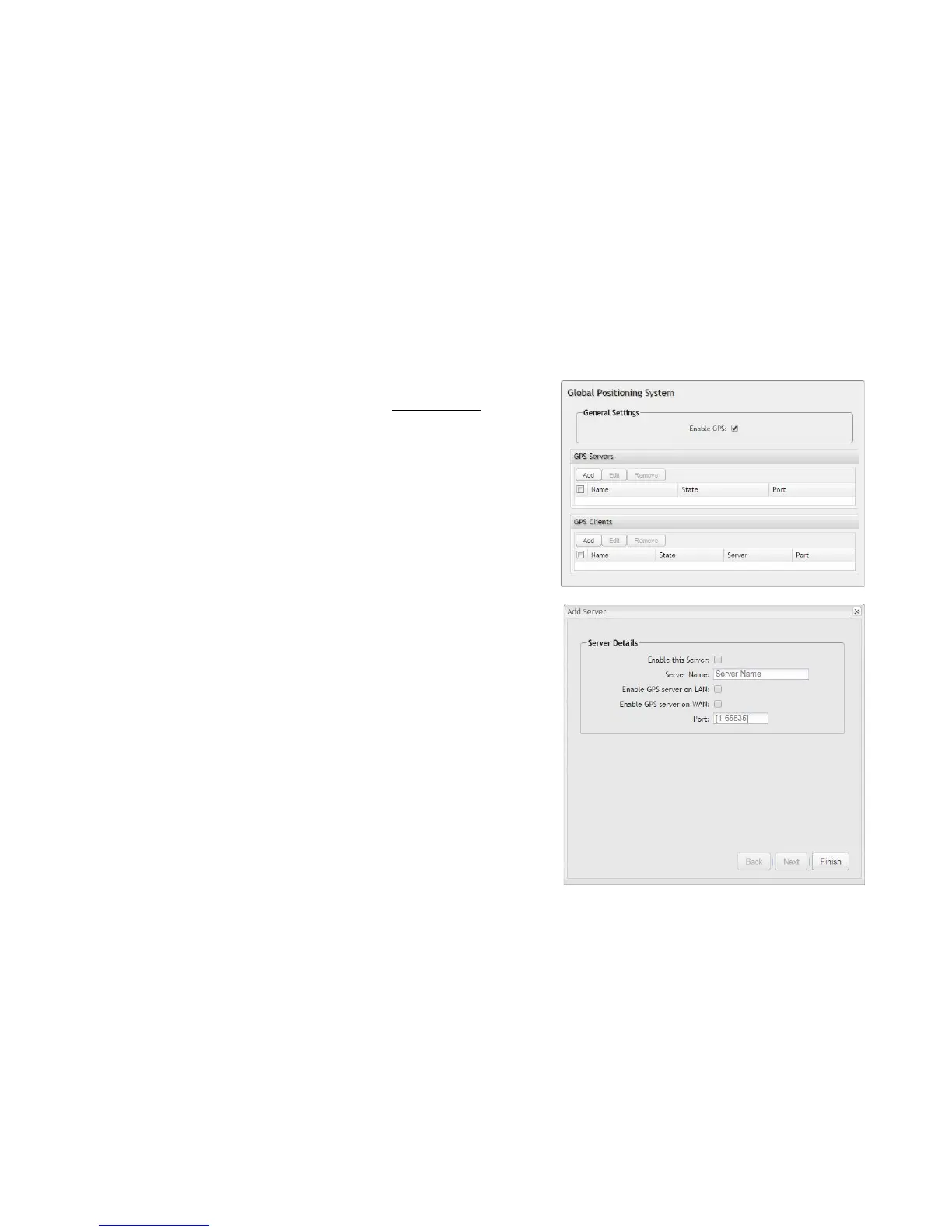
8.1.5 GPS
If you have an attached device with GPS support, you can enable a graphical
view of your router’s location which will appear in Status → GPS.
Users can also configure GPS NMEA GGA format sentence reporting,
available through a router-based server and/or a remote server.
NOTE: Some carriers disable GPS support in otherwise supported modems. If you
encounter issues with obtaining a fix, contact your carrier and ensure that GPS is
supported.
• Enable GPS: Enables support for querying GPS information from
supported modems. To add a GPS Server or Client, click “Add.”
• Enable this Server: Select to enable specified server.
• Server Name: Specify server name.
• Enable GPS server on LAN: Enables a TCP server on the LAN side
of the firewall, which will periodically send GPS NMEA sentences to
connected clients.
• Enable GPS server on WAN: Enables a TCP server on the WAN side
of the firewall, which will periodically send GPS NMEA sentences to
connected clients.
• Port: Specify desired port.















 To Next Page