Enterprise Cloud Manager
Cradlepoint ECM is a cloud-based management service for configuring, monitoring, and organizing your Cradlepoint routers.
Key features include:
• Group based configuration management
• Health monitoring of router connectivity and data usage
• Remote management and control of routers
• Historical record keeping of device logs and status
Visit http://Cradlepoint.com/ecm to learn more about Cradlepoint ECM.
If you do not have ECM credentials, sign up at: http://www.Cradlepoint.com/ecm-signup.
REGISTERING YOUR ROUTER
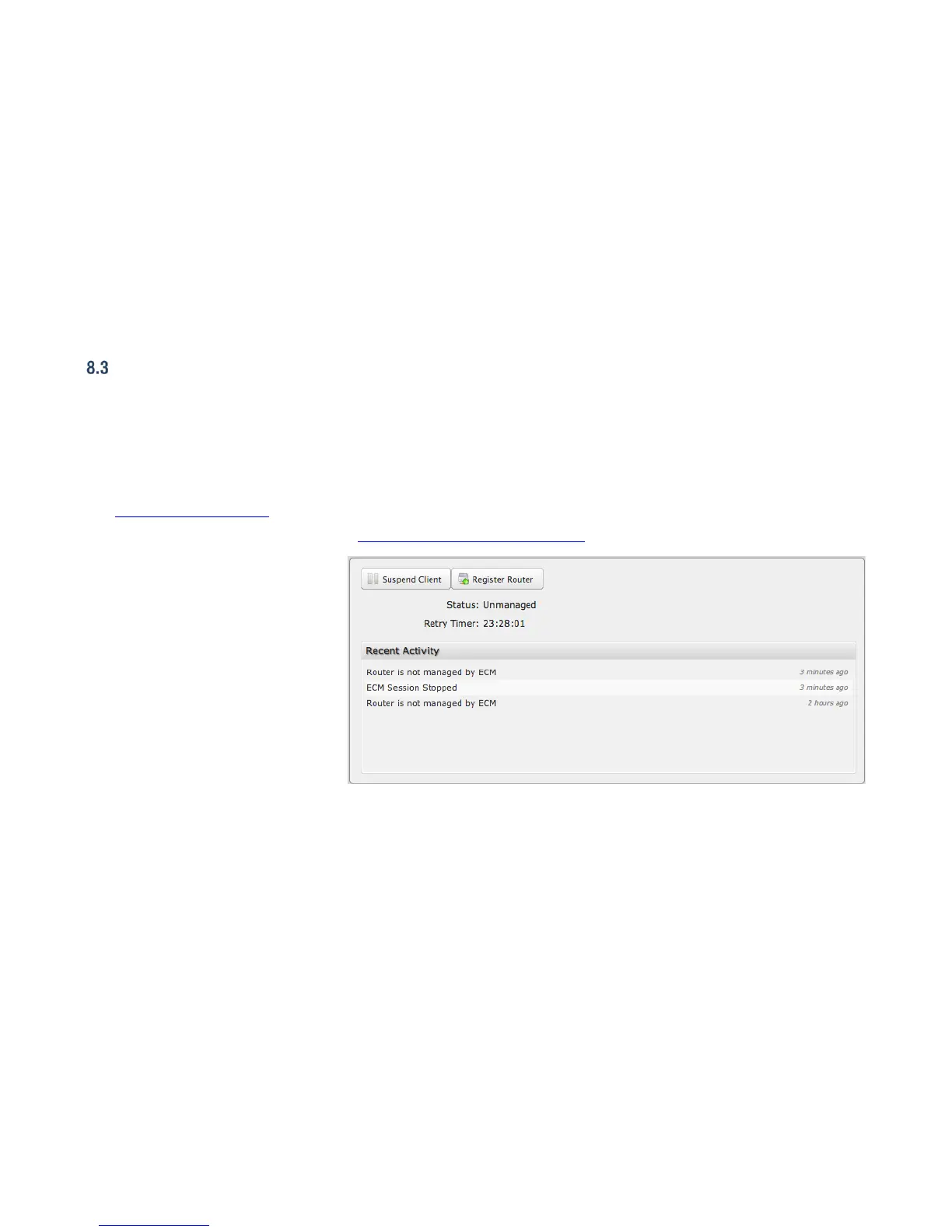
Once you have signed up for ECM, click on
the Register Router button to begin
managing the router through ECM. Input
your ECM Username and ECM Password
and click Register. You have now
registered the device with Enterprise Cloud
Manager.
SUSPENDING THE ECM CLIENT
Click on the Suspend Client button to stop
communication between the device and
ECM. Suspending the client will make it
stop any current activity and go dormant. It will not attempt to contact the server while suspended. This is a temporary setting that will
not survive a router reboot; to disable the client altogether use the Advanced Enterprise Cloud Manager Settings panel (below).















 To Next Page