8.2.1 SMTP Mail Server
Since the CBA850 does not have its own email server, to receive alerts you must enable an SMTP server. This is possible through
most email services (Gmail, Yahoo, etc.)
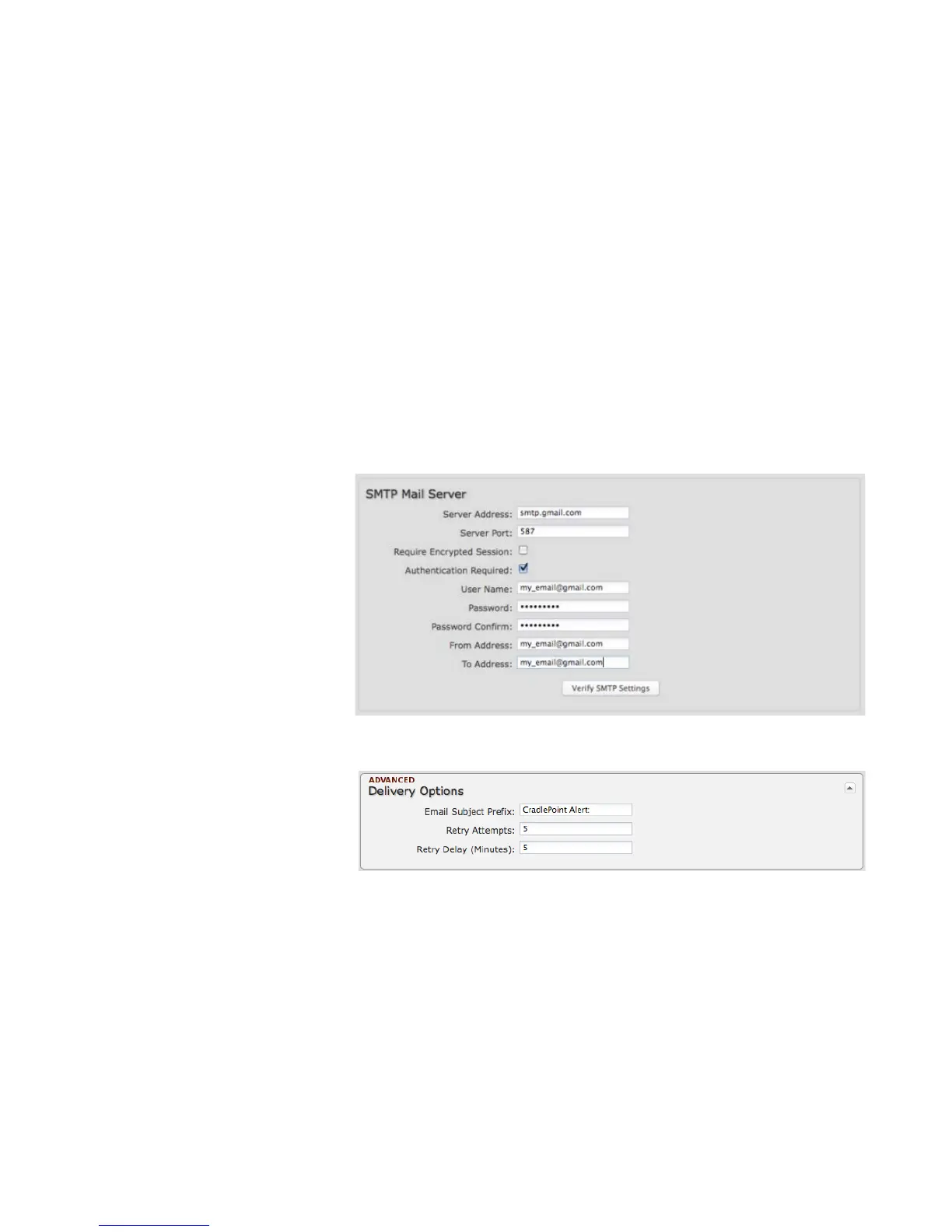
Each SMTP server will have different specifications for setup, so you have to look those up separately. The following is an example
using Gmail:
• Server Address: smtp.gmail.com
• Server Port: 587 (for TLS, or
Transport Layer Security port; the
CBA850 does not support SSL).
• Authentication Required: For
Gmail, mark this checkbox.
• User Name: Your full email
address
• Password: Your Gmail password
• From Address: Your email
address
• To Address: Your email address
Once you have filled in the information
for the SMTP server, click on the “Verify
SMTP Settings” button. You should receive a test email at your account.
Advanced: Delivery Options
Email Subject Prefix: This optional
string is prefixed to the alert subject. It
can be customized to help you identify
alerts from specific routers.















 To Next Page