6.3.3 Advanced Dynamic DNS Settings
Update period (hours). (Default: 576) The time between periodic updates to the Dynamic DNS if your dynamic IP address has not
changed. The timeout period is entered in hours so valid values are from 1 to 8760.
Override External IP. The external IP is usually configured automatically during connection. However, in situations where the unit is
within a private network behind a firewall or router, the network's external IP address will have to be manually configured in this
field.
You may find out what your external IP address is by going to http://myip.dnsomatic.com/ in a web browser.
6.3.4 Known Hosts Configuration
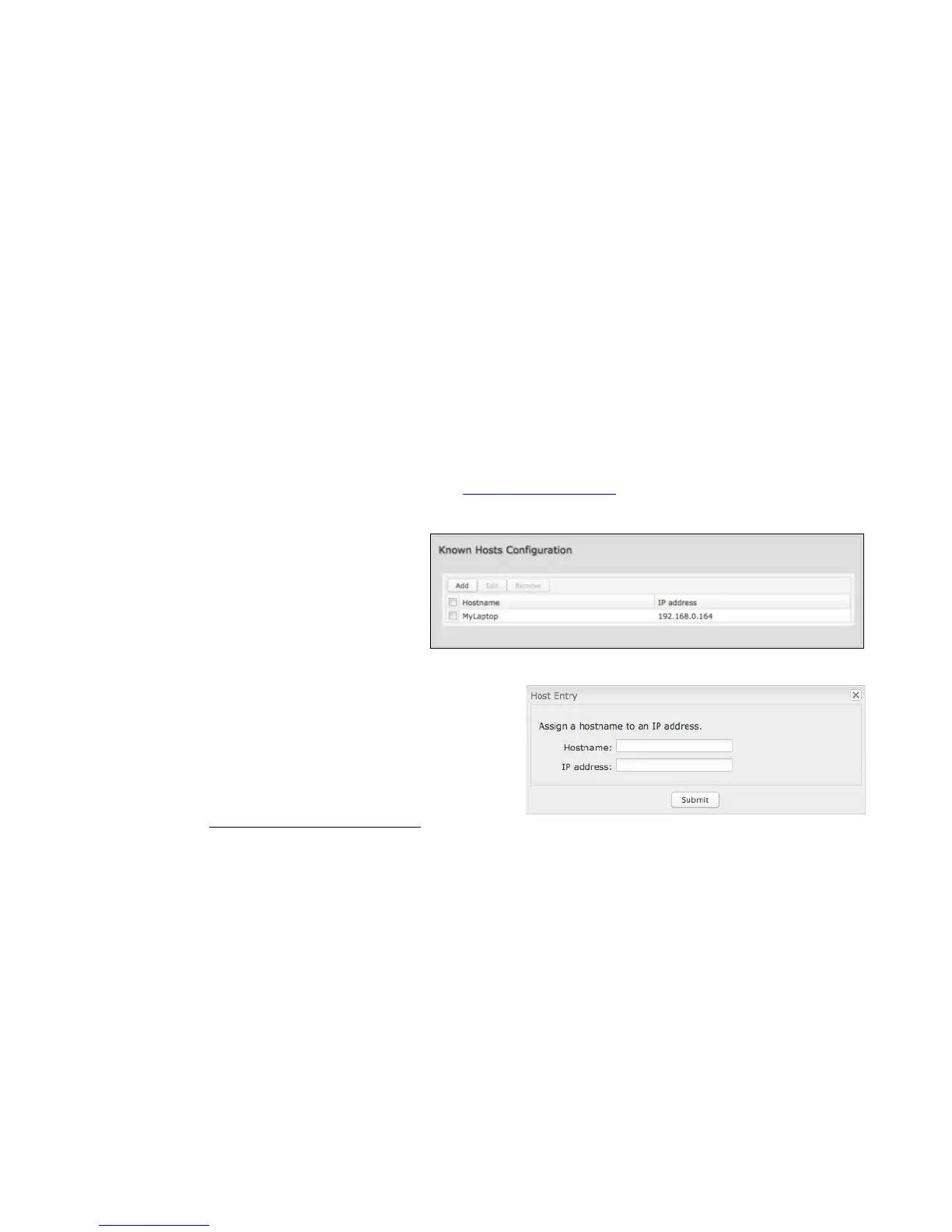
The Known Hosts Configuration feature allows you to
map a name (printer, scanner, laptop, etc.) to an IP
address of a device on the network. This assigns a
new hostname that can be used to conveniently
identify a device within the network, such as an office
printer.
Click Add to name a device in your network.
Fill in the following fields:
• Hostname: Choose a name that is meaningful to you. No
spaces are allowed in this field.
• IP address: The address of the device within your network.
EXAMPLE: a personal laptop with IP address 192.168.0.164 could be assigned
the name “MyLaptop”.
Since the assigned name is mapped to an IP address, the device’s IP
address should not change. To ensure that the device keeps the same
IP address, go to Network Settings → DHCP Server and reserve the
IP address for the device by selecting the device in the Active Leases list and clicking “Reserve”.















 To Next Page